Individual Placement Onboarding
Part 3 - Member Setup
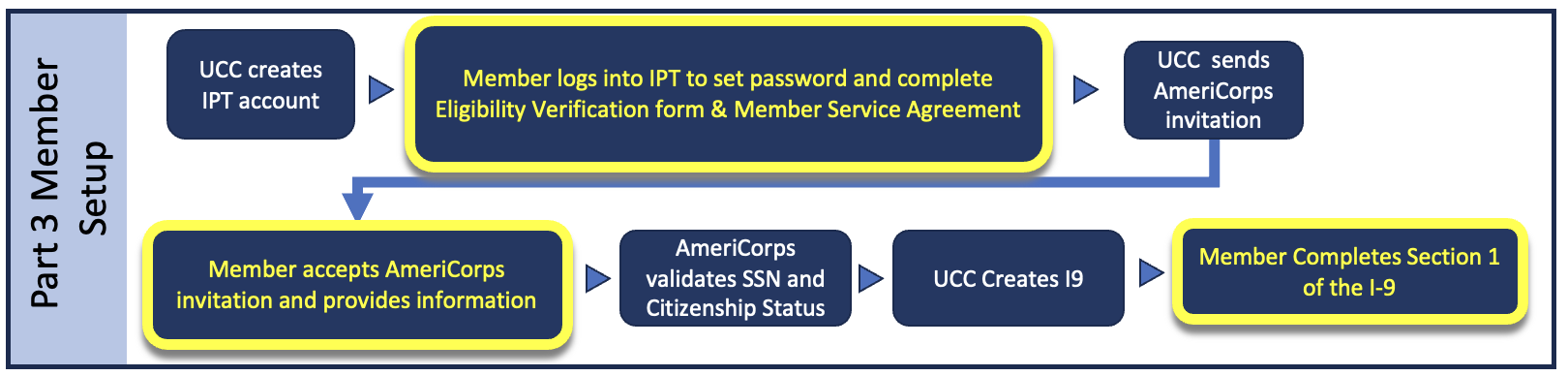
UCC uses two systems for members. We use IPT for eligibility forms, your member service agreement, and tracking of service hours. You will also have an account on my.americorps.gov where your service and education awards with UCC and other AmeriCorps programs are tracked and recorded. Watch for emails from these systems with account information.
- IPT will send you an automated email with a temporary login.
- For Organization ID, use: ucovac
- Your first form in IPT will be an Enrollment and Eligibility Verification form for your electronic signature.
- You will also receive your Member Service Agreement in IPT for your signature. This contains the details of your term of service and your position description. Please review this thoroughly, including the Section X attachment before signing.
- Accept your AmeriCorps invitation and complete all the information requested to avoid delays.
Part 4 - USU Pay Setup
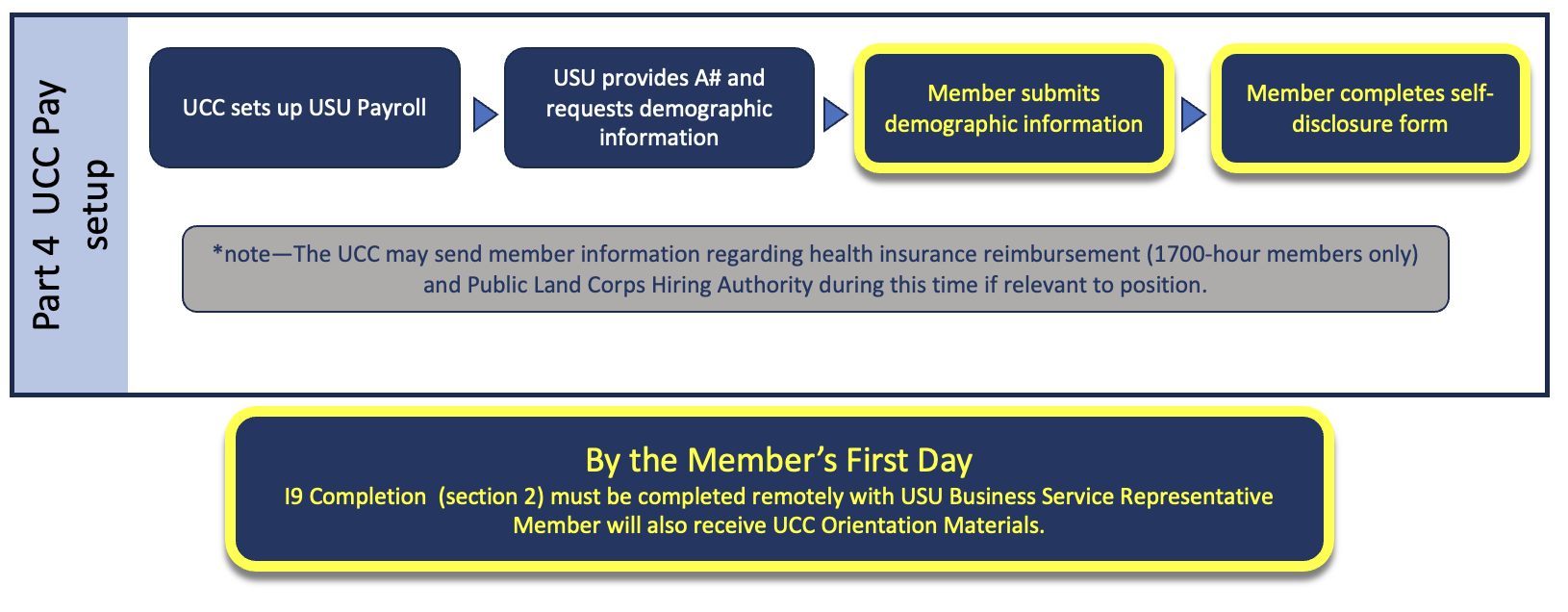
Your living allowance will be paid through the Utah State University Payroll system. Once the above steps are complete, you will receive email and texts from USU with your A-Number (a USU ID number) directing you to a unique link to complete required information. You will also need to complete a self-disclosure form at https://usu.service-now.com/aggies?id=self_disclosure.
- Complete these forms as soon as possible to avoid delays in your first payment!
- You will complete Section 2 of your I9 remotely before your first day. You will receive instructions from the program coordinator.
- You will need to set up a password and Microsoft’s two-factor authentication (TFA) for access to USU systems.
- For assistance with password and TFA, visit https://it.usu.edu/service-desk
- Your electronic pay stubs and tax forms will be available through this system banner.usu.edu
- You will also be assigned a USU email. This is where your official USU communications will go. You should plan to check it periodically to avoid missing important messages.