
Edit Your Display Name
While you are in a Zoom meeting, you can change how your name is displayed by following these steps:
1
Open the Participants sidebar

2
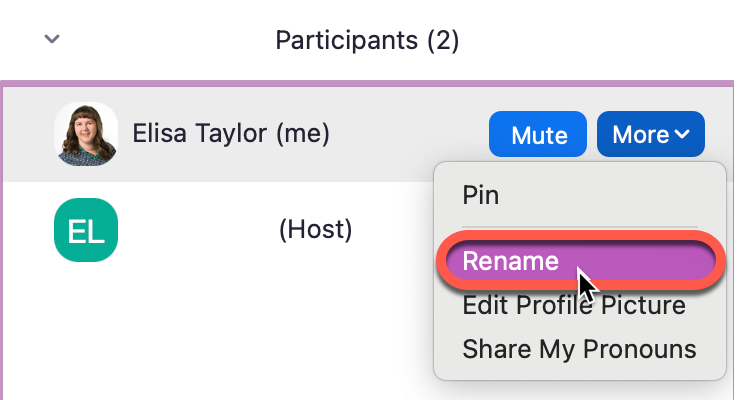
Hover over your name and select More

3
Select Rename
4
Enter your desired display name and click Rename
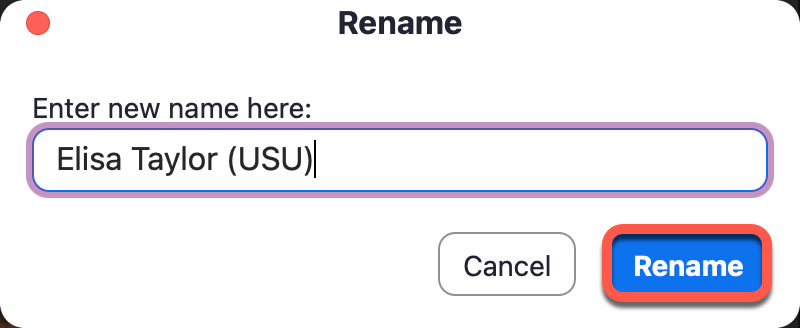
Note: whatever you use as your display name will be listed in the official records of the meeting, and some instructors will be using that record to take attendance.