MyTime Leave Manager FMLA Responsibilities
Complying with the Law
Be sure that you have read this website’s FMLA section to help you understand this topic.
Recognizing FMLA
As a Business Service representative, you play a role in helping supervisors and employees understand whether an employee’s absence may be related to FMLA. Employees don’t always know about or understand FMLA protection, so don’t rely on them to request it by name.
Sometimes an employee will tell you directly or a supervisor will reach out asking for help with someone who may need time off for medical treatment or other FMLA reason.
If FMLA may apply to the employee’s situation, the Department of Labor requires the university to inform the employee about FMLA. Please have the employee contact HR or submit an FMLA request by visiting myfmla.usu.edu. Directing the employee to request leave by visiting the My FMLA website myfmla.usu.edu this will ensure the employee receives the FMLA notice of their rights and responsibilities.
Responsibilities
As your Department’s MyTime Leave Manager, you play an important role in helping your departments manage their leave. Responsibilities include:
- Understanding and complying with FMLA, related state laws, and USU leave policies.
- Recognizing when an employee’s absence may fall under FMLA.
- Help departments and supervisors manage leave.
- You’ll receive emails updating you FMLA leave statuses of employee on FMLA leave.
- Watching leave helps departments avoid overpaying employees when the employee is not working regular hours.
- You can review FMLA leave for employees within the departments you manage.
- It’s recommended that you check regularly to make sure employees are submitting leave properly. Checking to make sure leave has been submitted before the Payroll deadlines will help ensure leave is being submitted properly and that their paycheck are being paid correctly.
- You can send email reminders to supervisors of employees on leave and remind them to follow up with their employees who haven’t submitted leave in MyTime.
Reports Available to Business Services MyTime Leave Managers
MyTime Reports
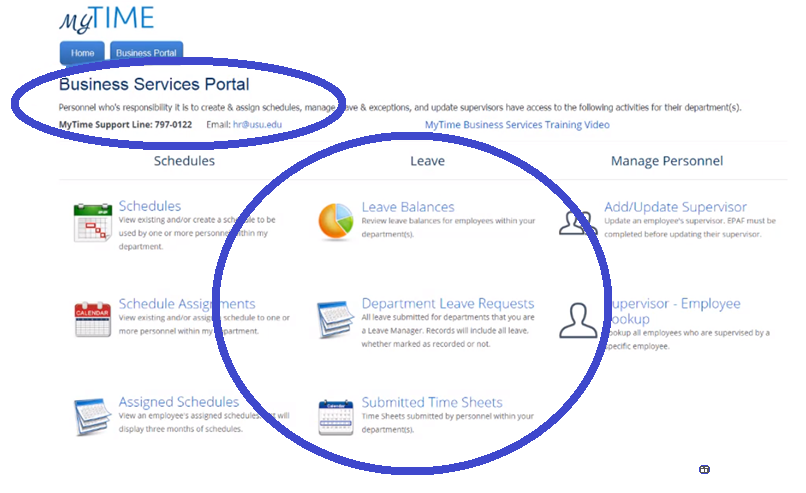
FMLA Dashboard Reports
Follow these steps to review FMLA Dashboard leave reports:
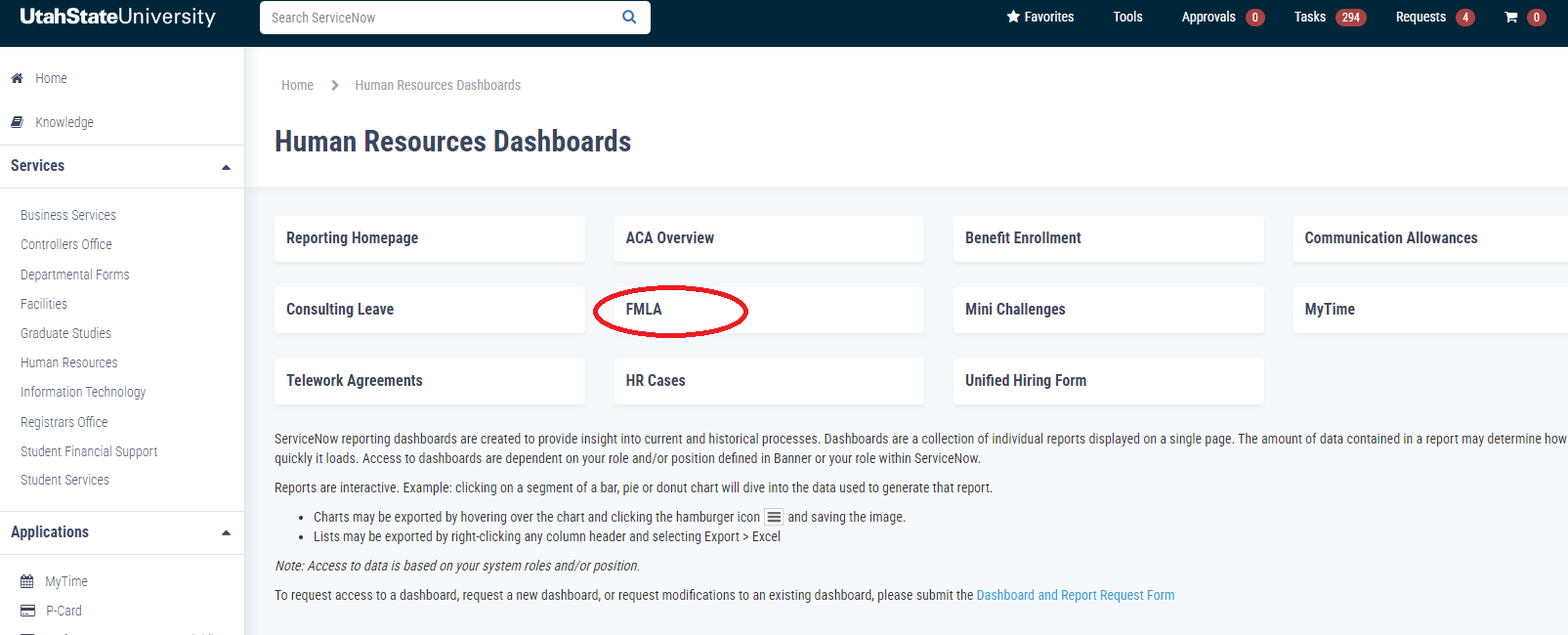
Go to myfmla.usu.edu
Click on FMLA
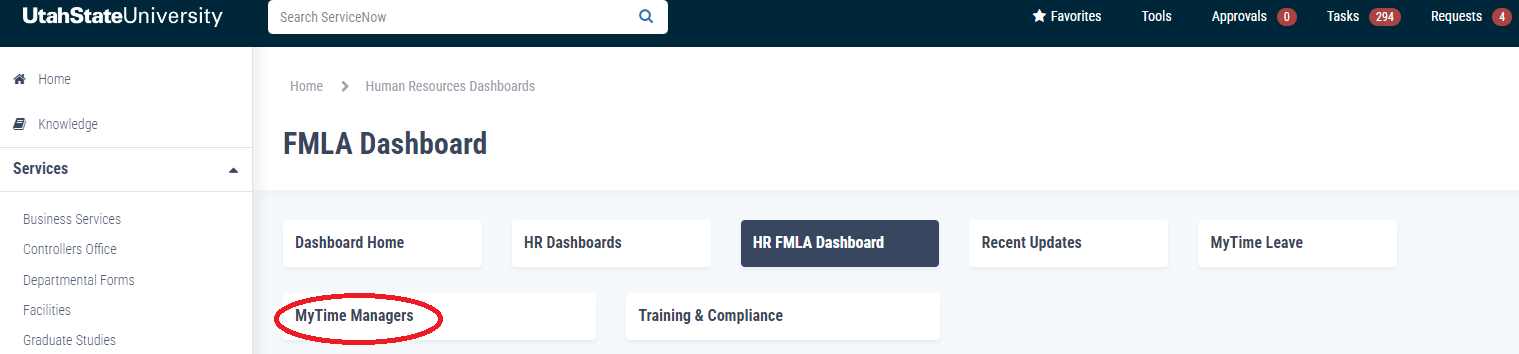
Click on MyTime Managers
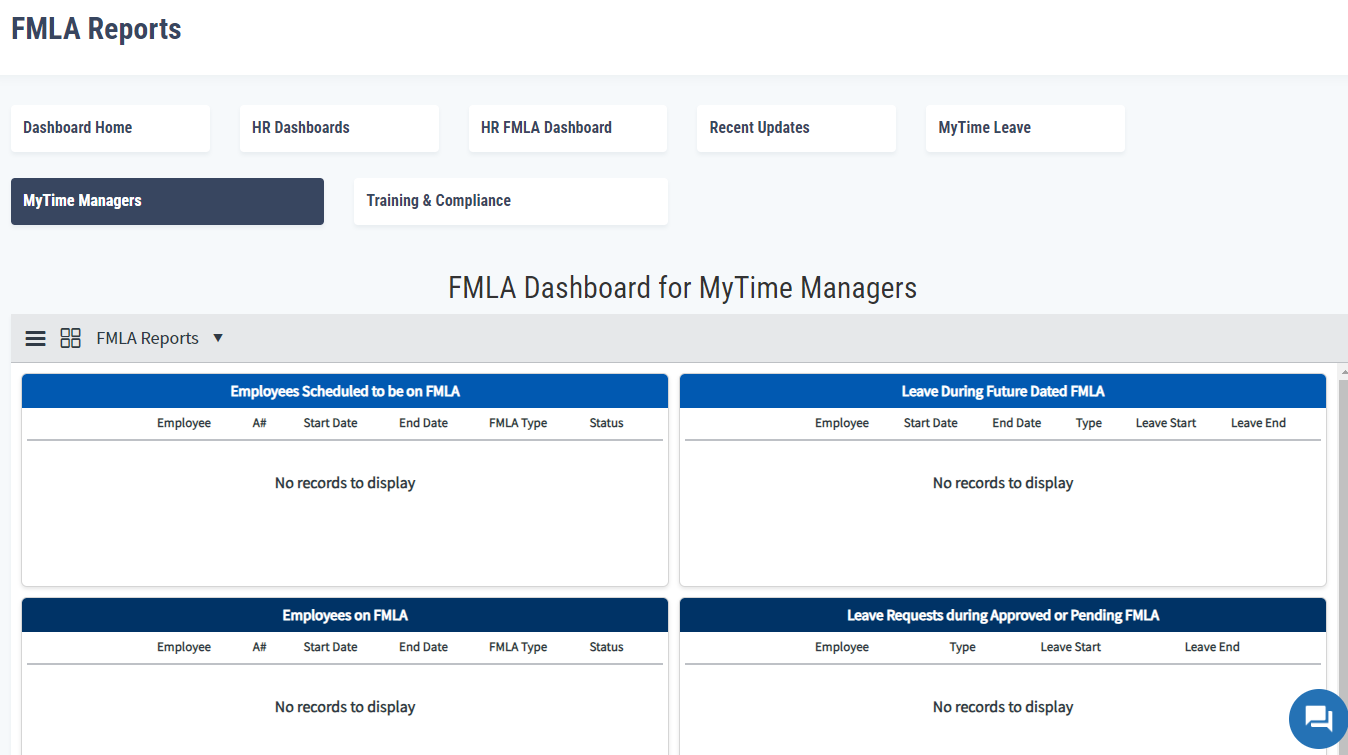
Review the FMLA leave reports