Grading a Hypothesis Assignment
There are several ways to get to the SpeedGrader for the Hypothesis assignment: through the course homepage's To Do list, from the gradebook, or through the assignment itself. The instructions below explains how to get to the SpeedGrader through the assignment itself, but you may do any preferred method of your choice.
1
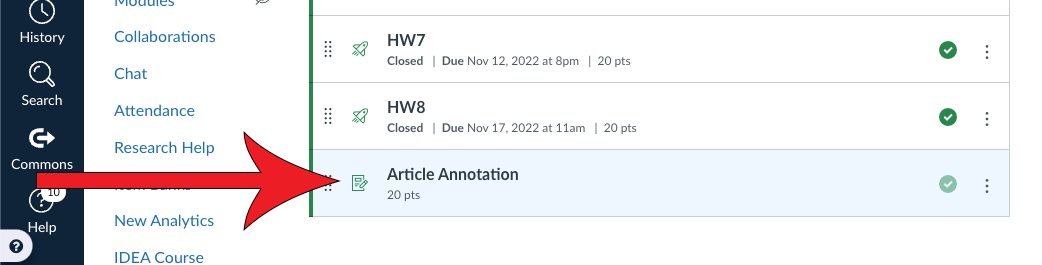
Navigate to the Hypothesis assignment
2
Click SpeedGrader

3
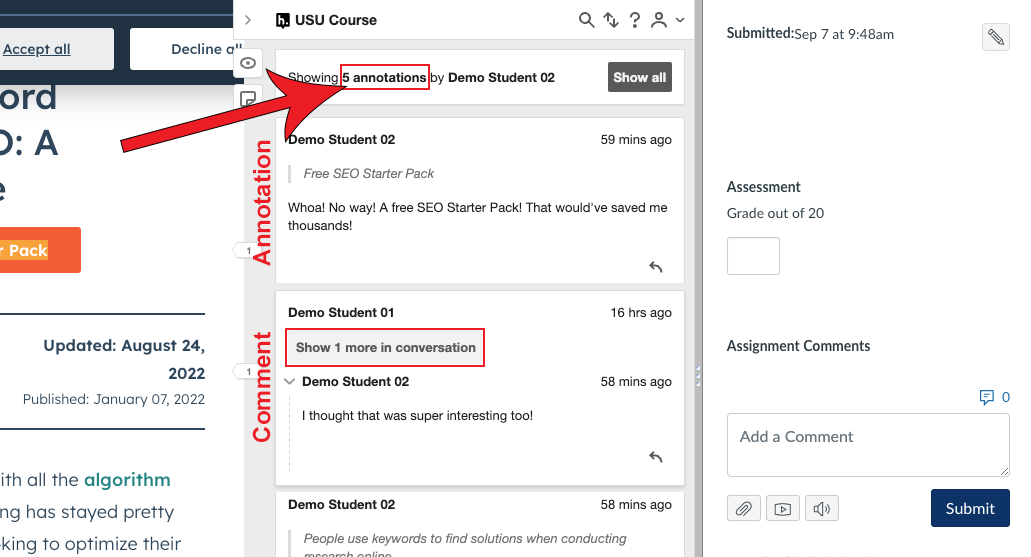
Review each student's annotations and give them the appropriate grade
The top will show the total amount of notes and annotations that the student created.
If a box appears above the student's name that says "Show X more in conversation" that means that it was a comment written in response to another student's annotation. Otherwise, it was their own annotation or page note.