Upload a Video from an iOS Device
How to upload a video that you have previously recorded to your My Media account from an iOS device (iPhone or iPad).
See Upload a Video from an Android Device for Android instructions.
1
Using the Canvas Student App, login and go to your course
2
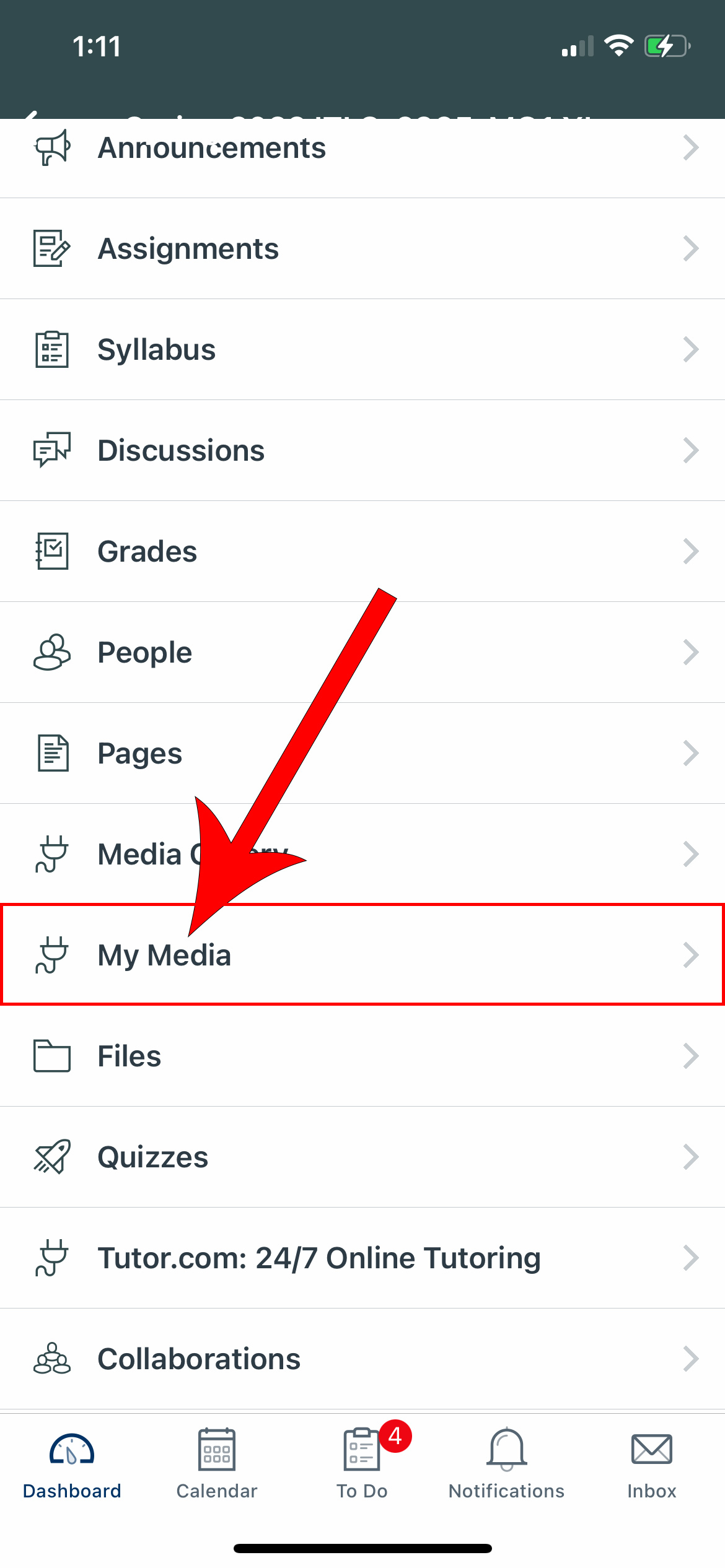
Select the My Media link
3
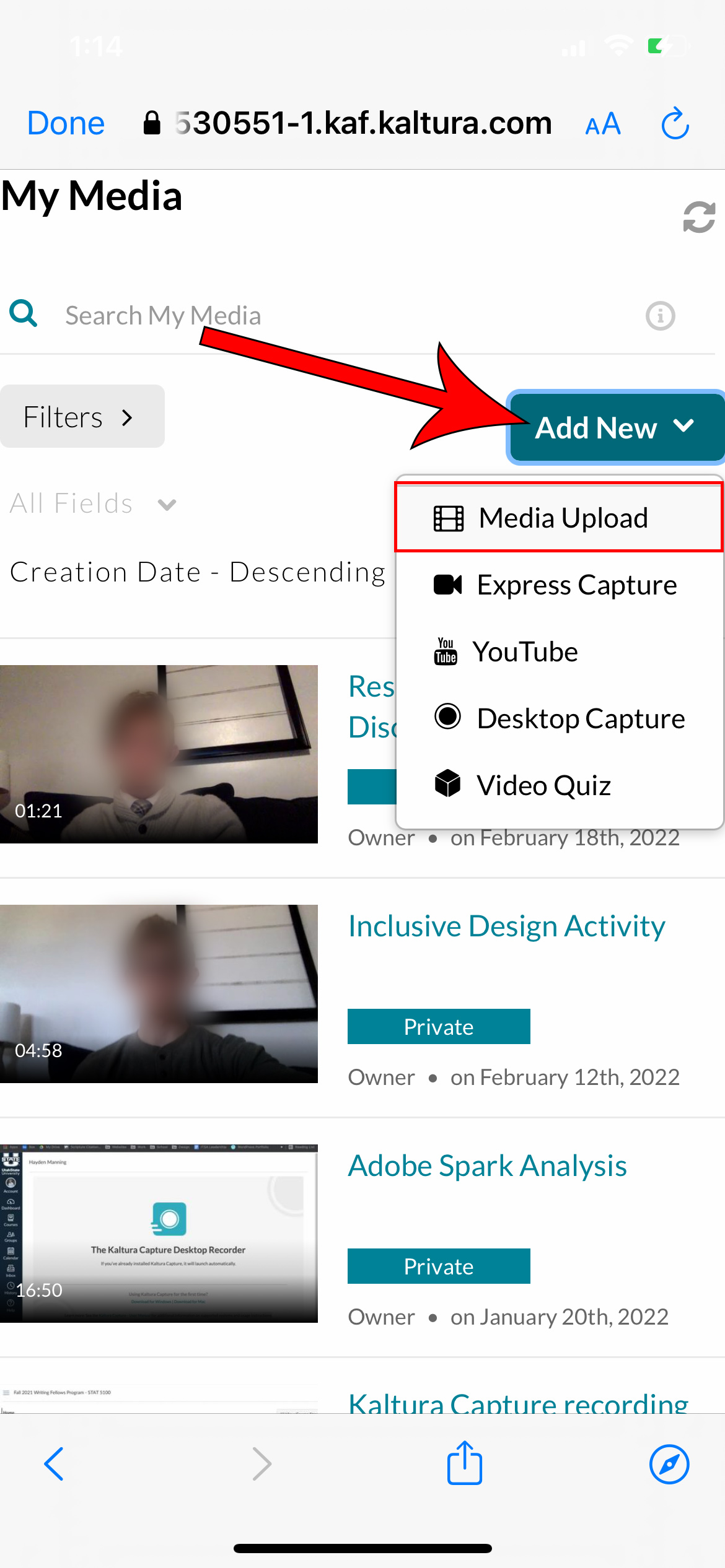
Tap Add New and select Media Upload
4
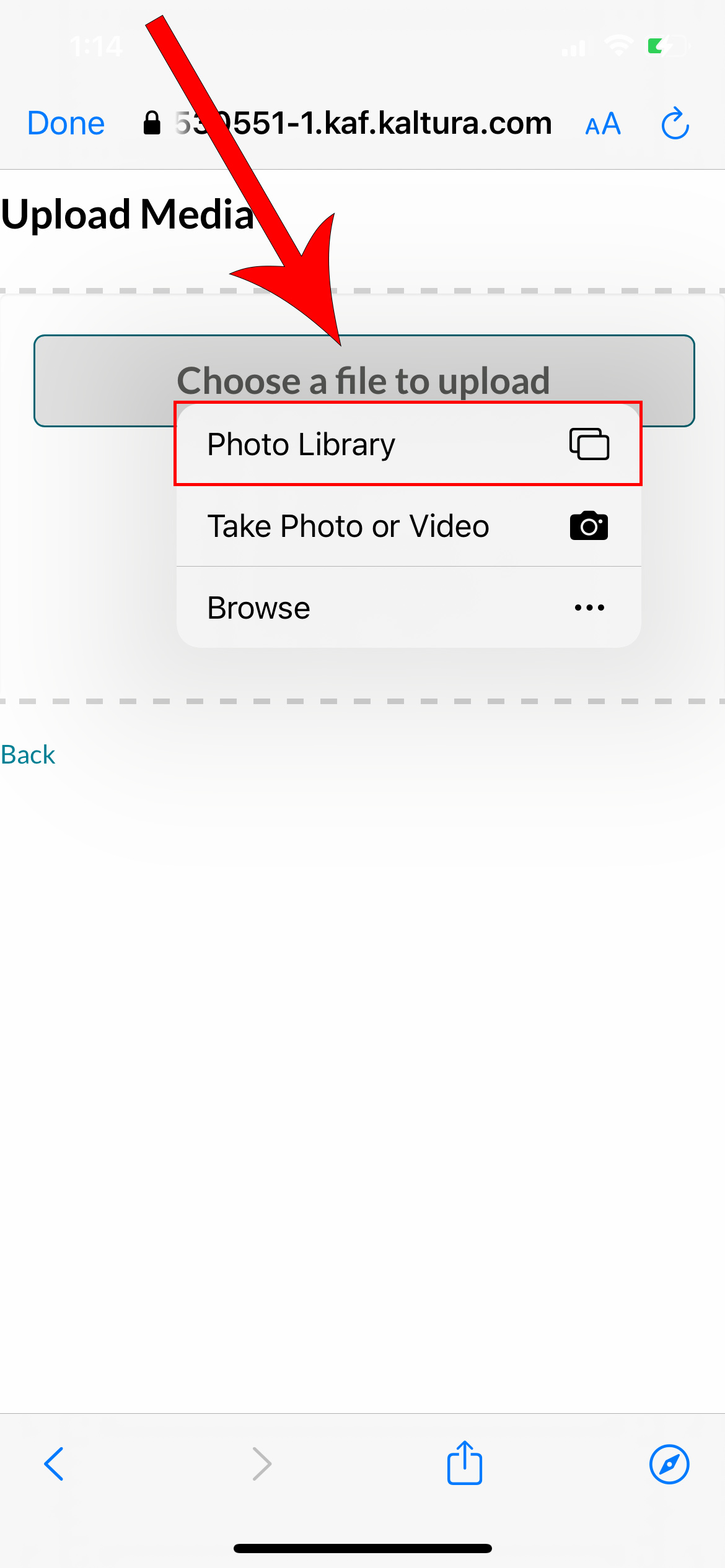
Tap on the Choose a file to upload button, then select Photo Library
5
Select a video from your phone and tap choose

6
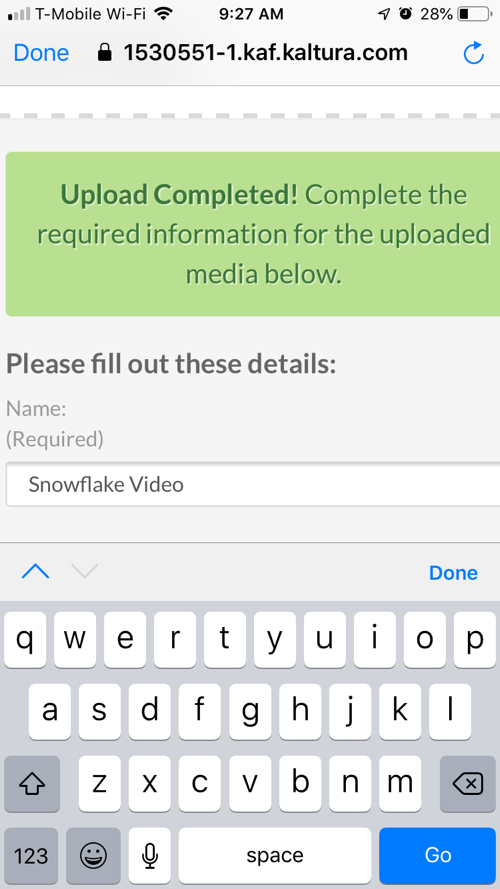
Wait for the video to upload, then edit the video name
(Optional: Add a tag with the class department and number that you submitting the video for.)
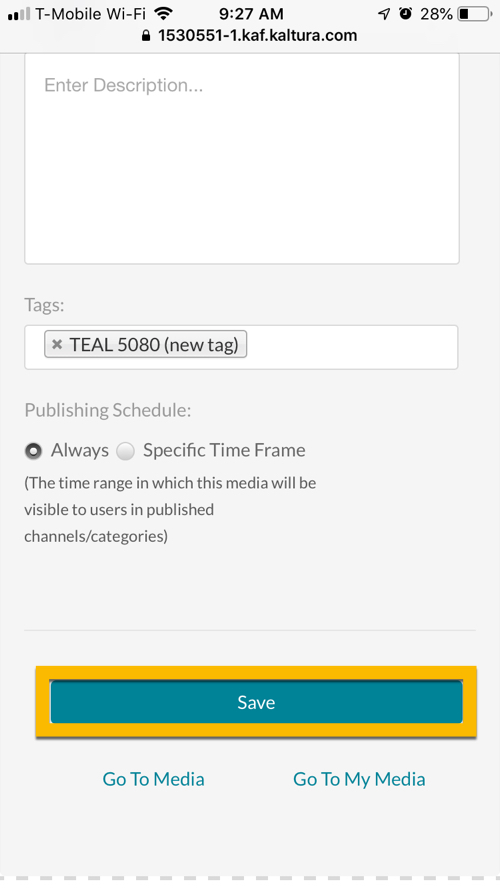
7
Scroll to the bottom and tap Save