
Add Delphinium to Homepage
If you are using a Canvas page as your course homepage, you can add Delphinium to the page by doing the following:
1
On your course home page, click Edit
2
Place cursor where you would like Delphinium to be
3
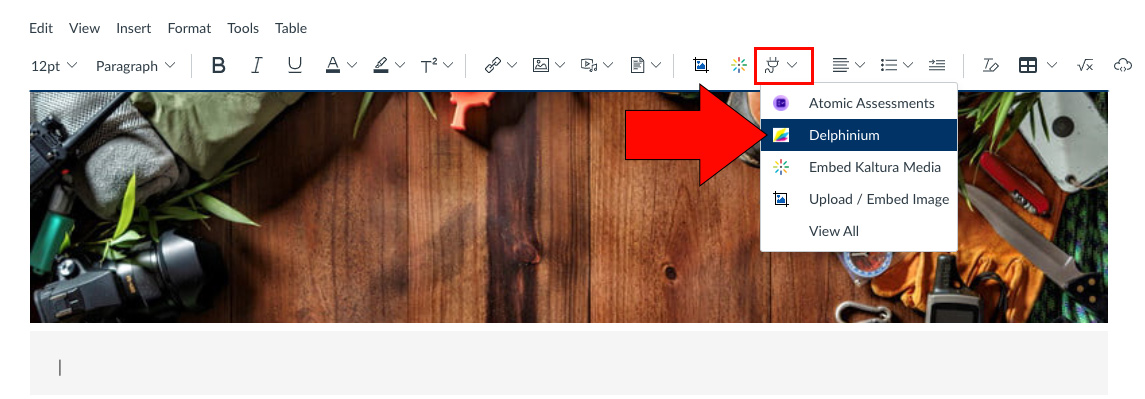
In the content toolbar, click on the plugin tool and select Delphinium
If you don't see it, click View All and select it from the menu that appears
4
Select Full Page and click Add
5
Save the Canvas page
Video
This short video will walk you through the process of adding Delphinium to your Canvas course homepage.
Additional Resources
https://tutorials.delphi-me.com/deep_dive/set-up-a-course/make-delphinium-home-page