
Enable Delphinium
To enable Delphinium in your Canvas course, do the following:
1
On the Course Navigation menu, click Settings
2
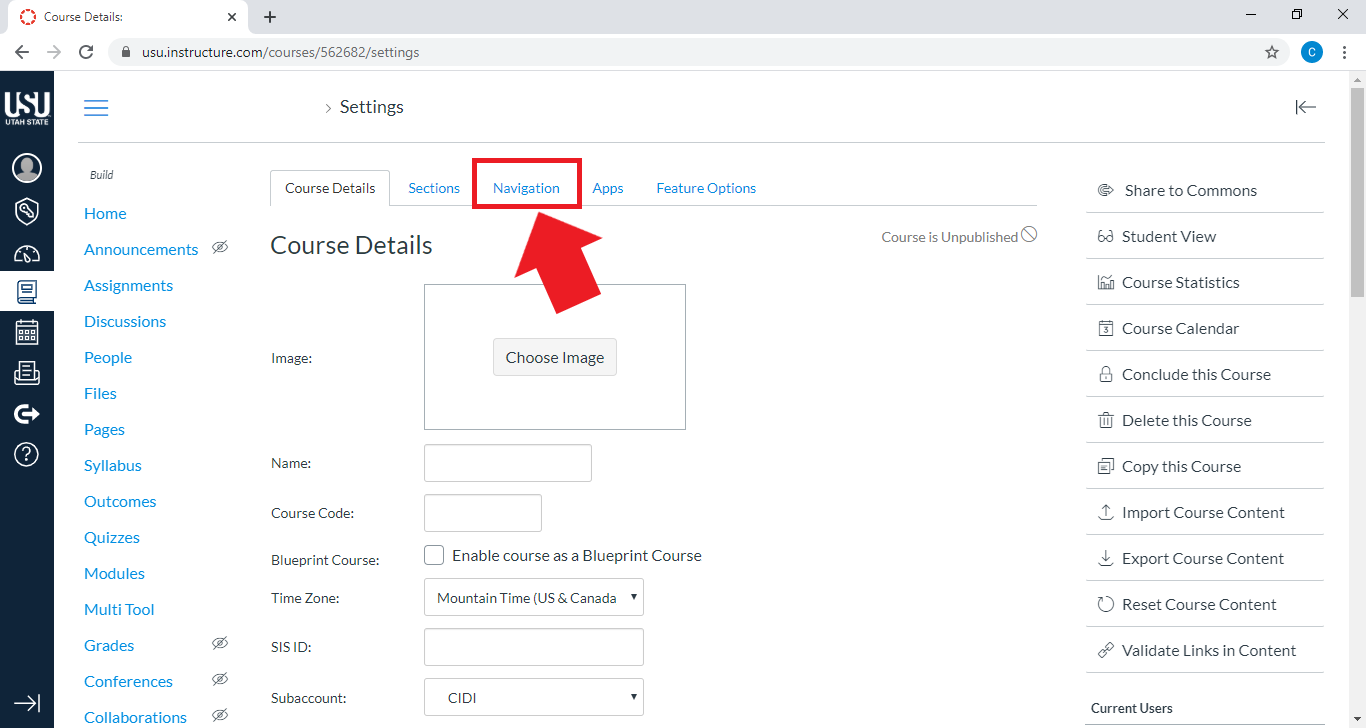
Click the Navigation tab
3
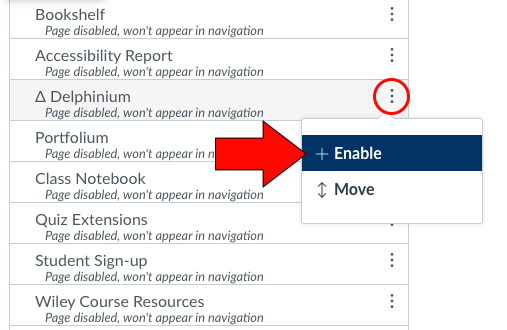
Locate Delphinium, then click on the three dots to the right and select + Enable
4
Click Save at the bottom of the page
5
On the Course Navigation menu, click Delphinium
6
Click Authorize
Note: Delphinium will take a few minutes to load as it calibrates all of your course information. After your initial use, the loading times will improve significantly.
Video
This short video will walk you through the process of enabling Delphinium in your Canvas course.