
Create an Assessment
This tutorial covers how to create and view your first assignment in Atomic Assessments.
Note: If you are trying to add an assessment to a lesson page instead of as a stand-alone quiz, see the tutorial for in-lesson assessments.
1
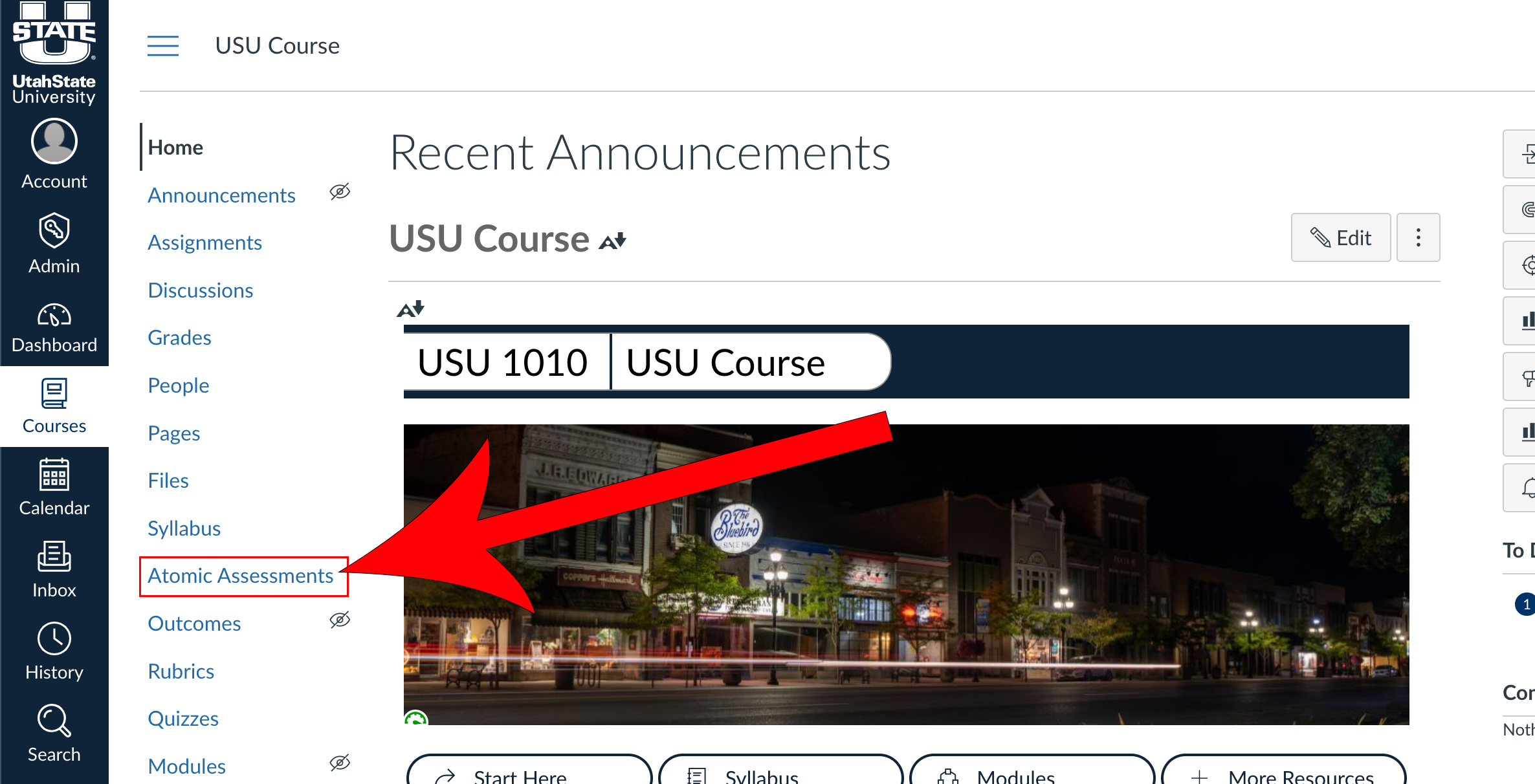
Navigate to Atomic Assessments
If this option does not appear in your toolbar, follow the steps to set up access.
2
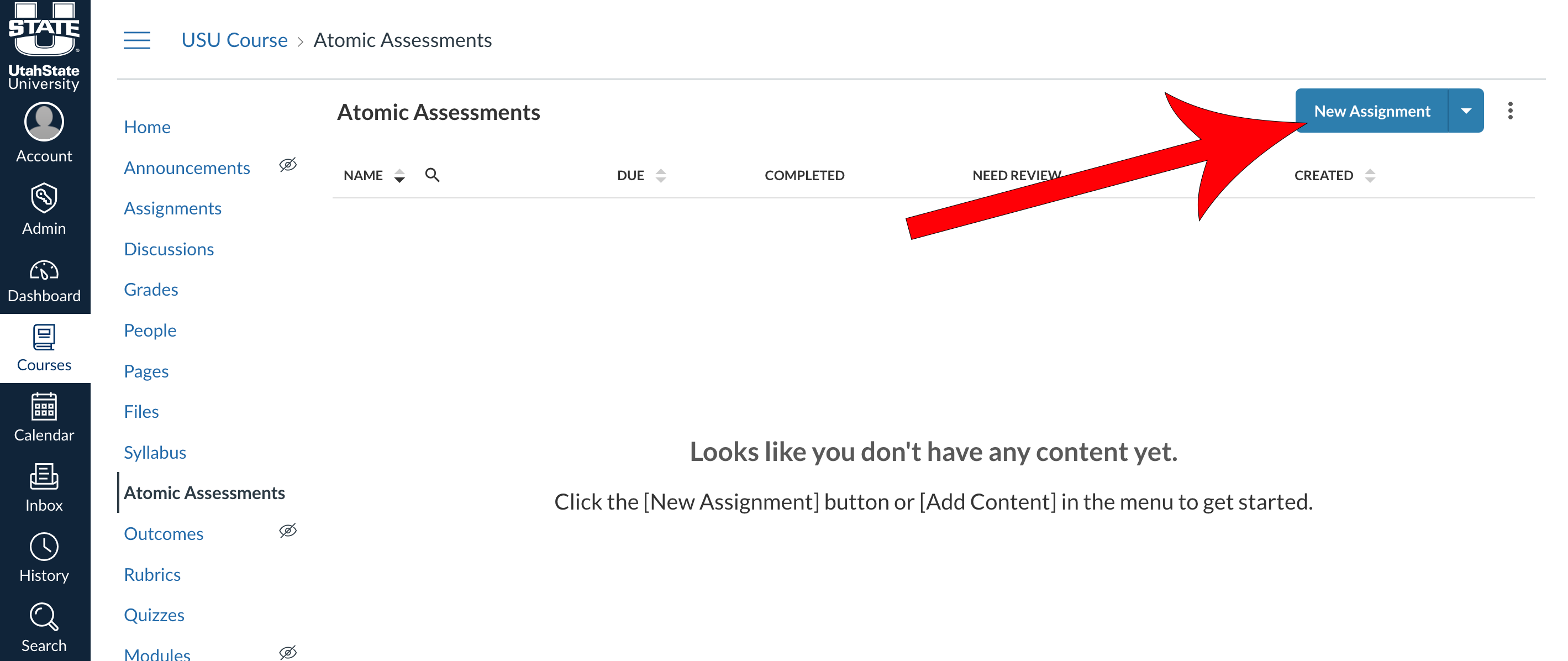
Click New Assignment
3
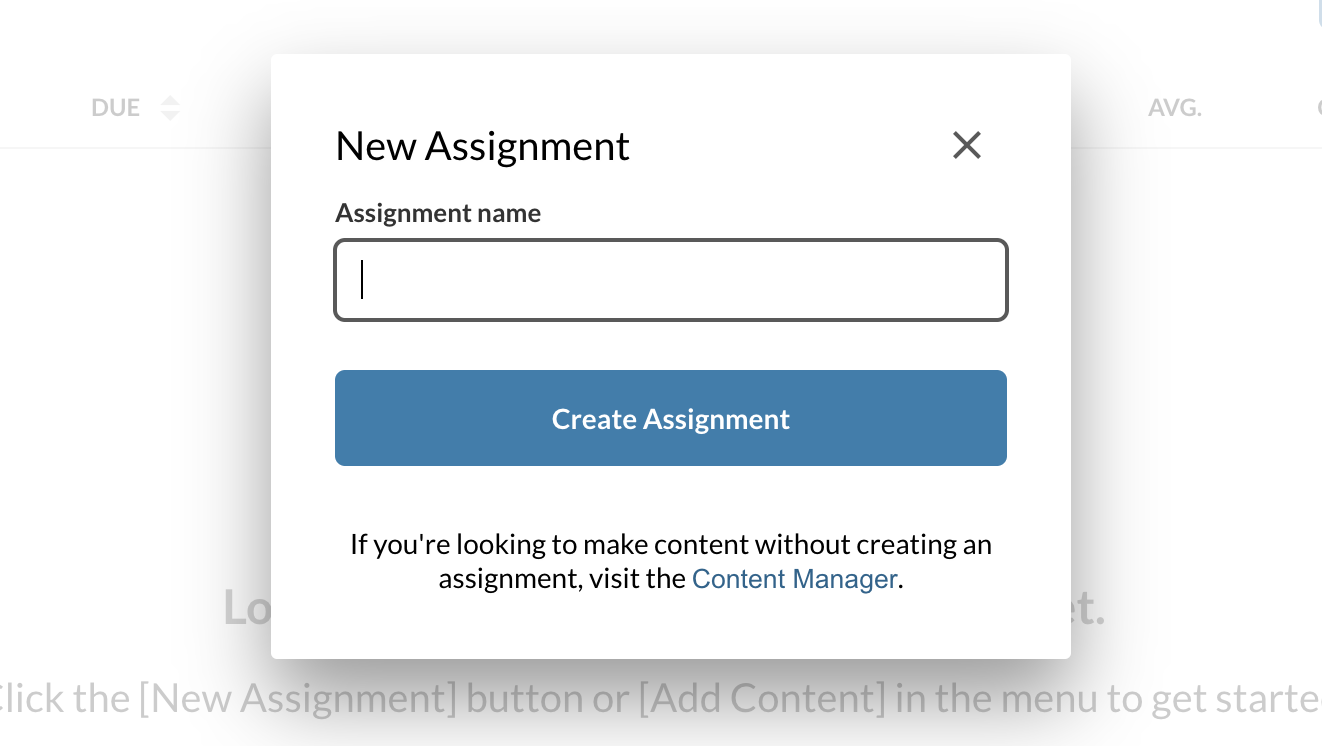
Enter an assignment name and click Create Assignment
4
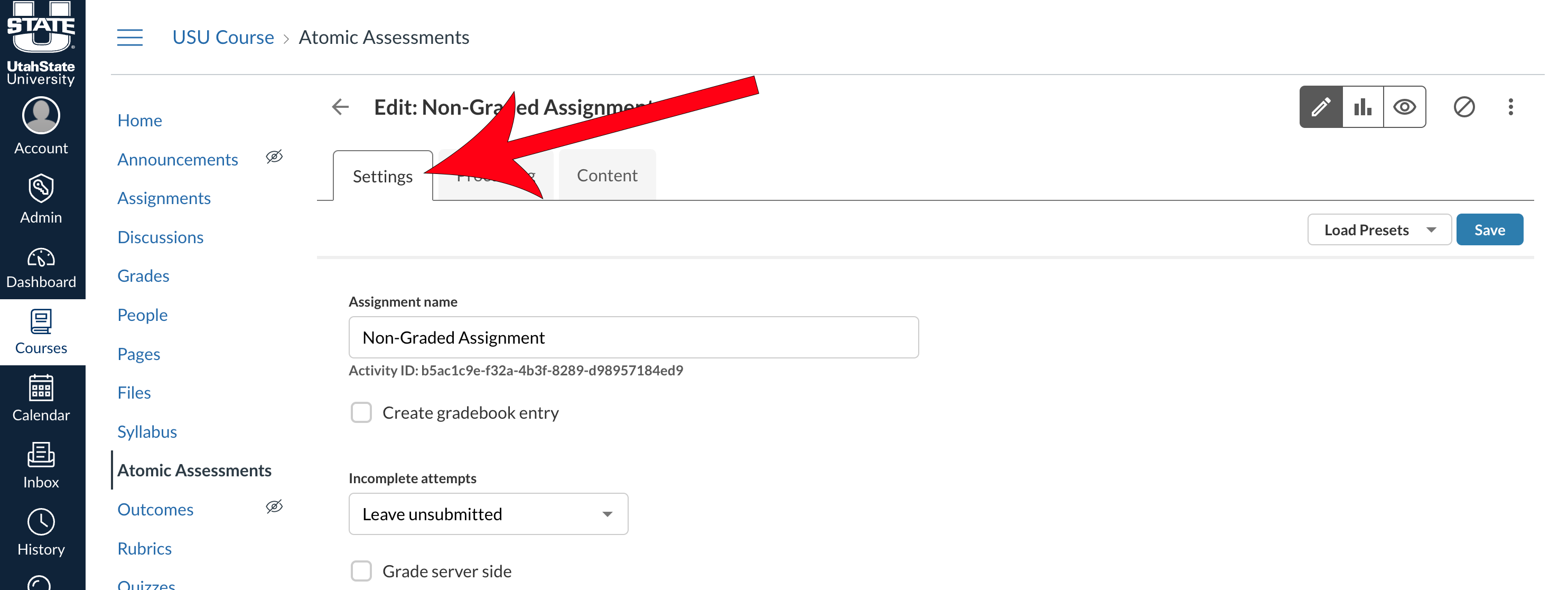
Adjust the settings of the assignment to your liking
5
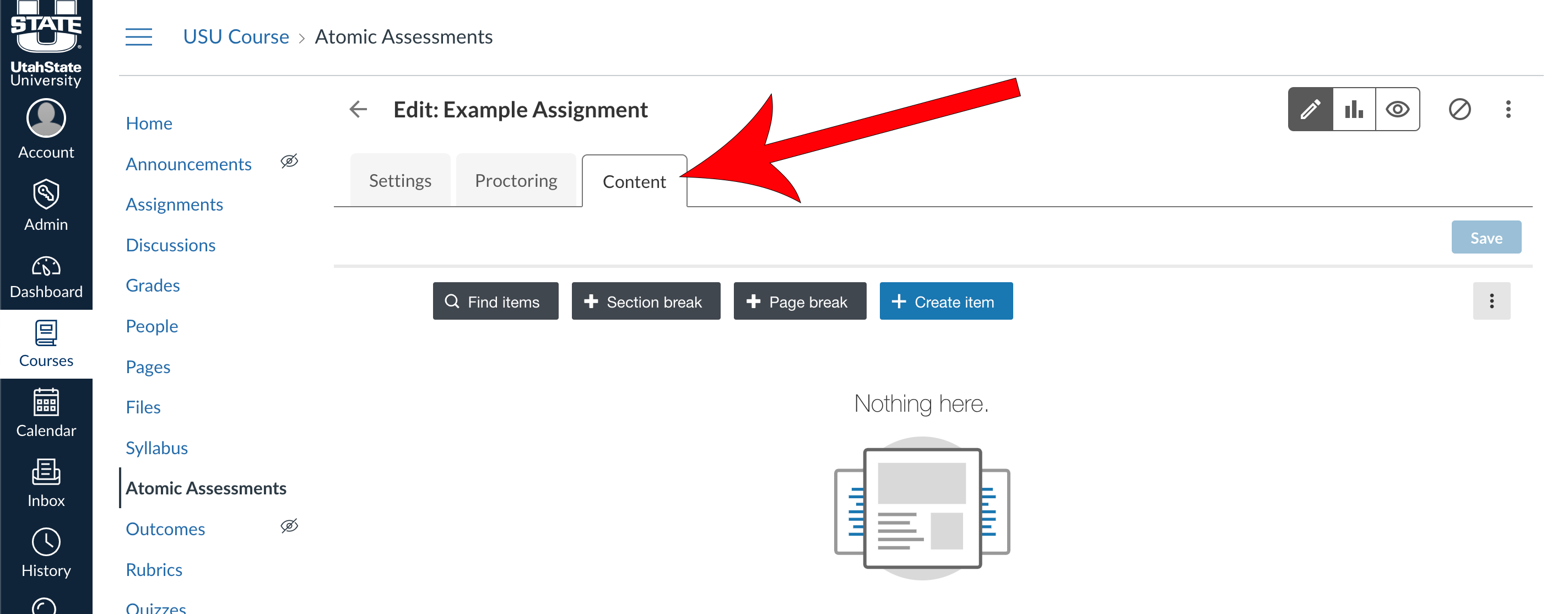
Navigate to the Content tab and import or create items
For more information on Content and how to create or import items, see the creating items tutorial.
Atomic Assessments - Get Started
The following list of pages will guide you through getting started with this tool. The current page is listed in bold.