
Set-up Atomic Assessments
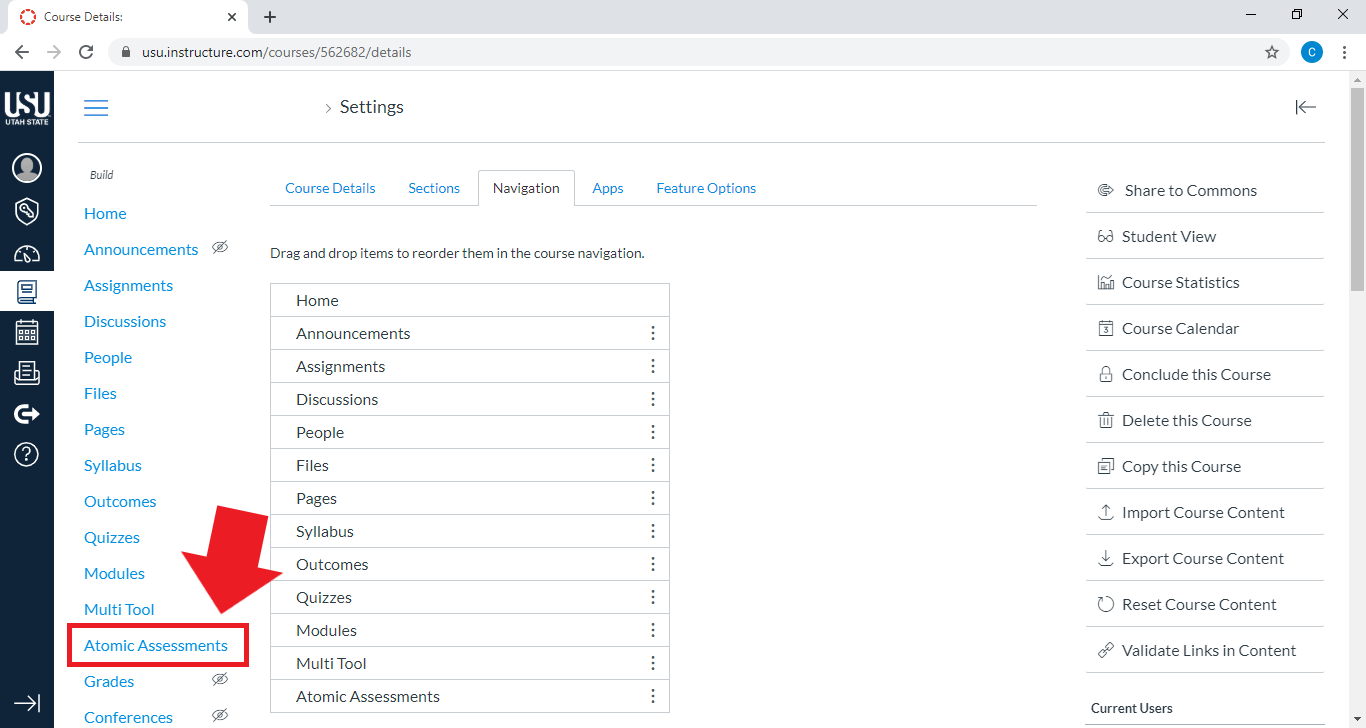
The first step in using Atomic Assessments is to add the tool to your course in the left-hand navigation. Note that this makes the tool available to you as the instructor to author and manage assessments. It is not visible in the left-hand navigation to students.
To make assessments visible to students, you need to publish them Opens External Page , which creates an assignment in the Canvas assignments section, or embed them in a page.
From your course home page, select Settings

On the Settings page, select the Navigation tab
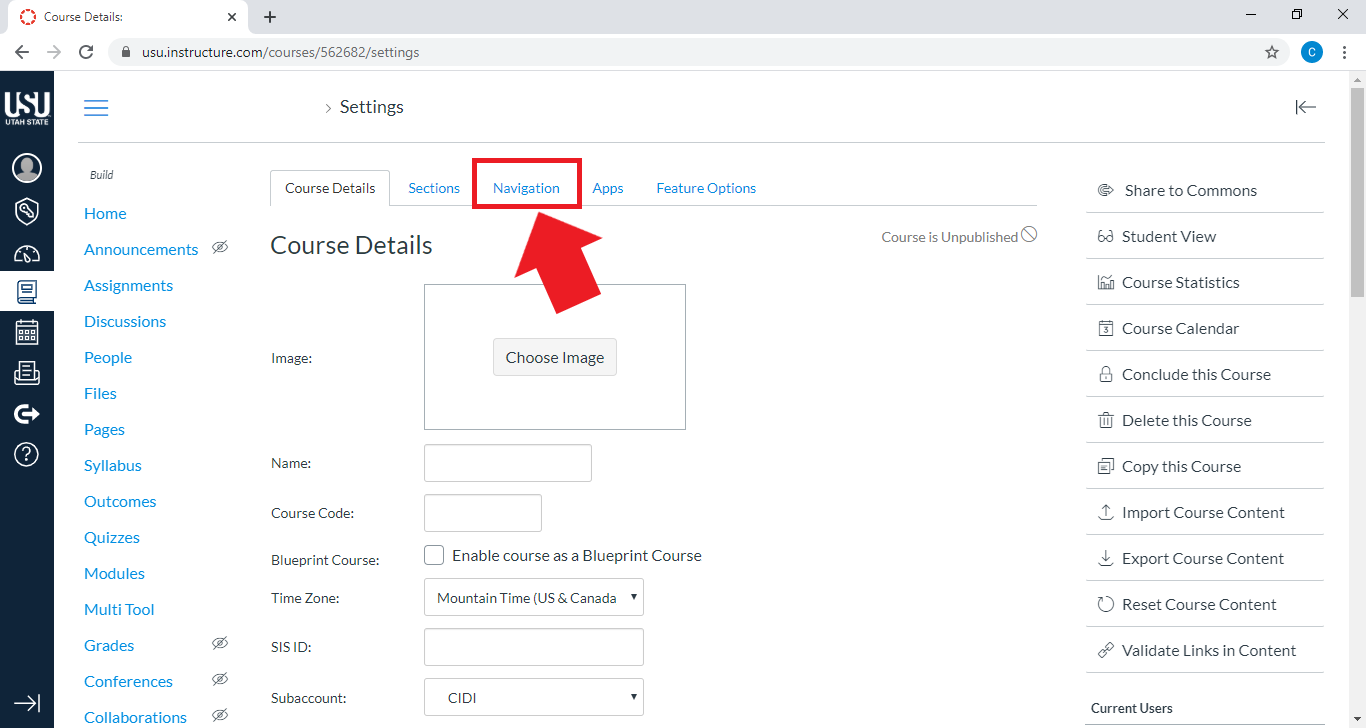
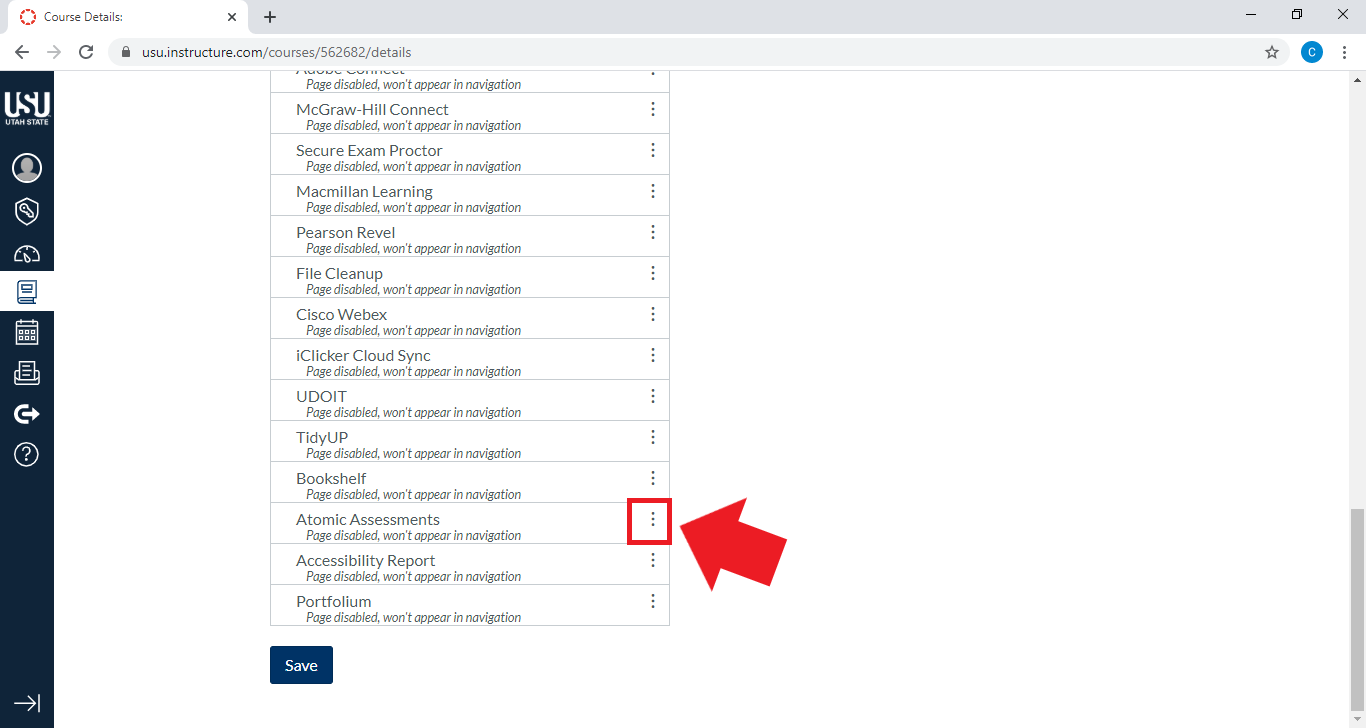
Select the three vertical dots on the right of the Atomic Assessments bar (You may need to scroll to find it)
Select + Enable
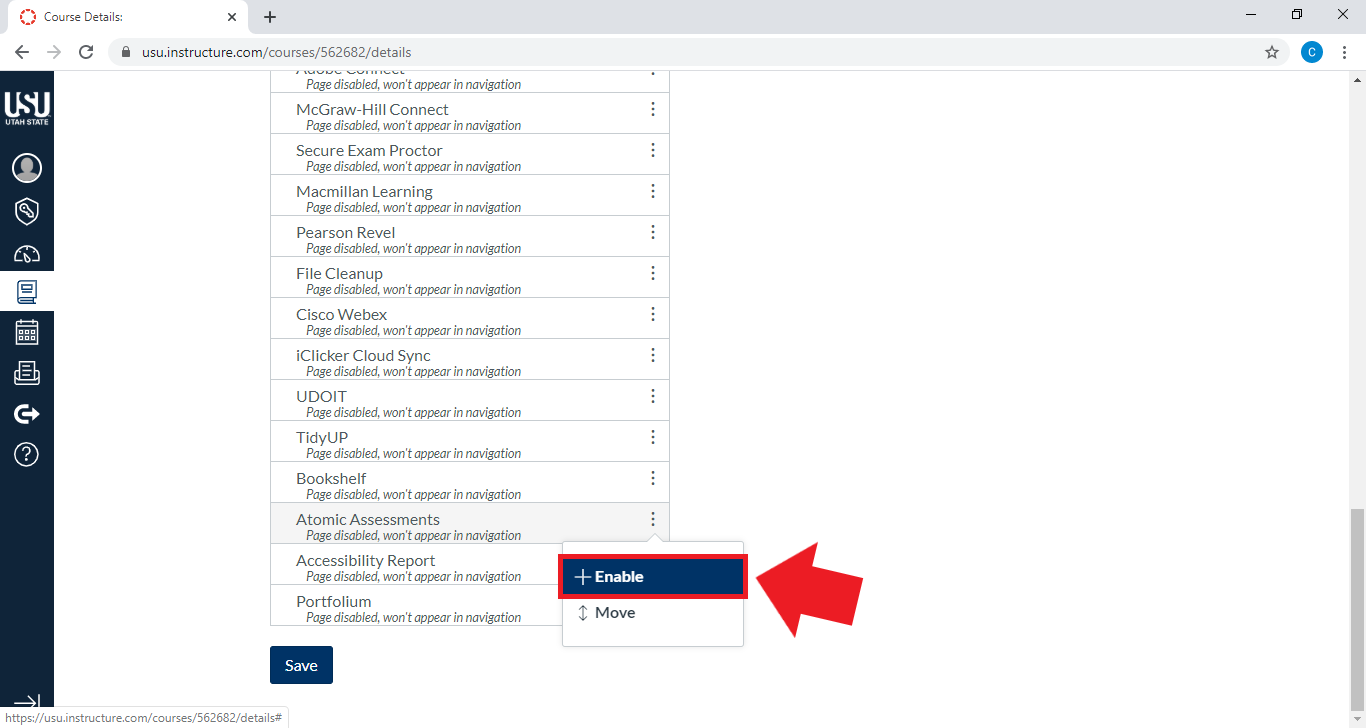
Atomic Assessments will appear in the list of visible navigation items
Scroll down and hit Save
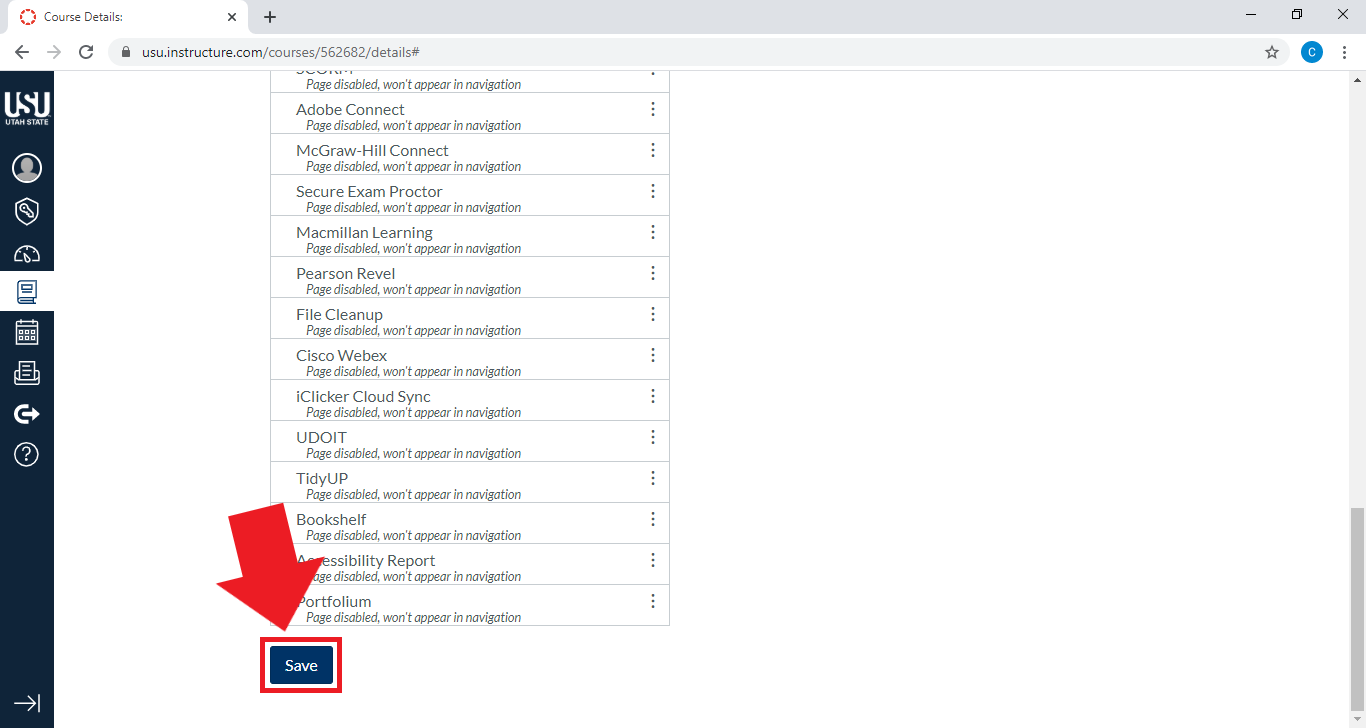
Atomic Assessments is now available in the course navigation (the left menu bar)
Reference
1. “Atomic Assessments – Documentation.” Atomic Jolt. Accessed 25 February 2020.
Atomic Assessments - Get Started
The following list of pages will guide you through getting started with this tool. The current page is listed in bold.