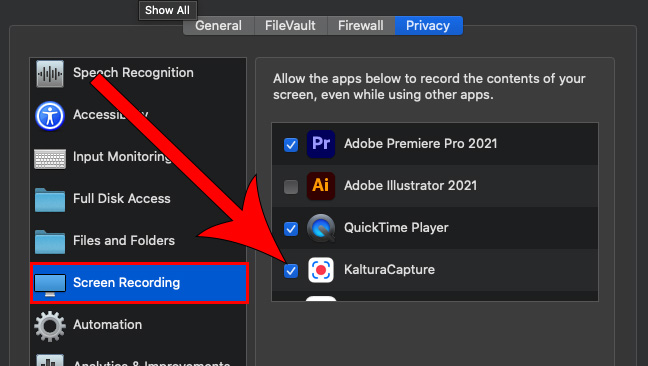
KalturaCapture Screen Recording on Mac OS Catalina 10.15
If you are using the most recent version of the Mac OS, there are some security settings that might prevent you from being able to record your screen. You should set this up before you begin recording. (If you get an error "Failed to Record" you will need to make this adjustment.)
1
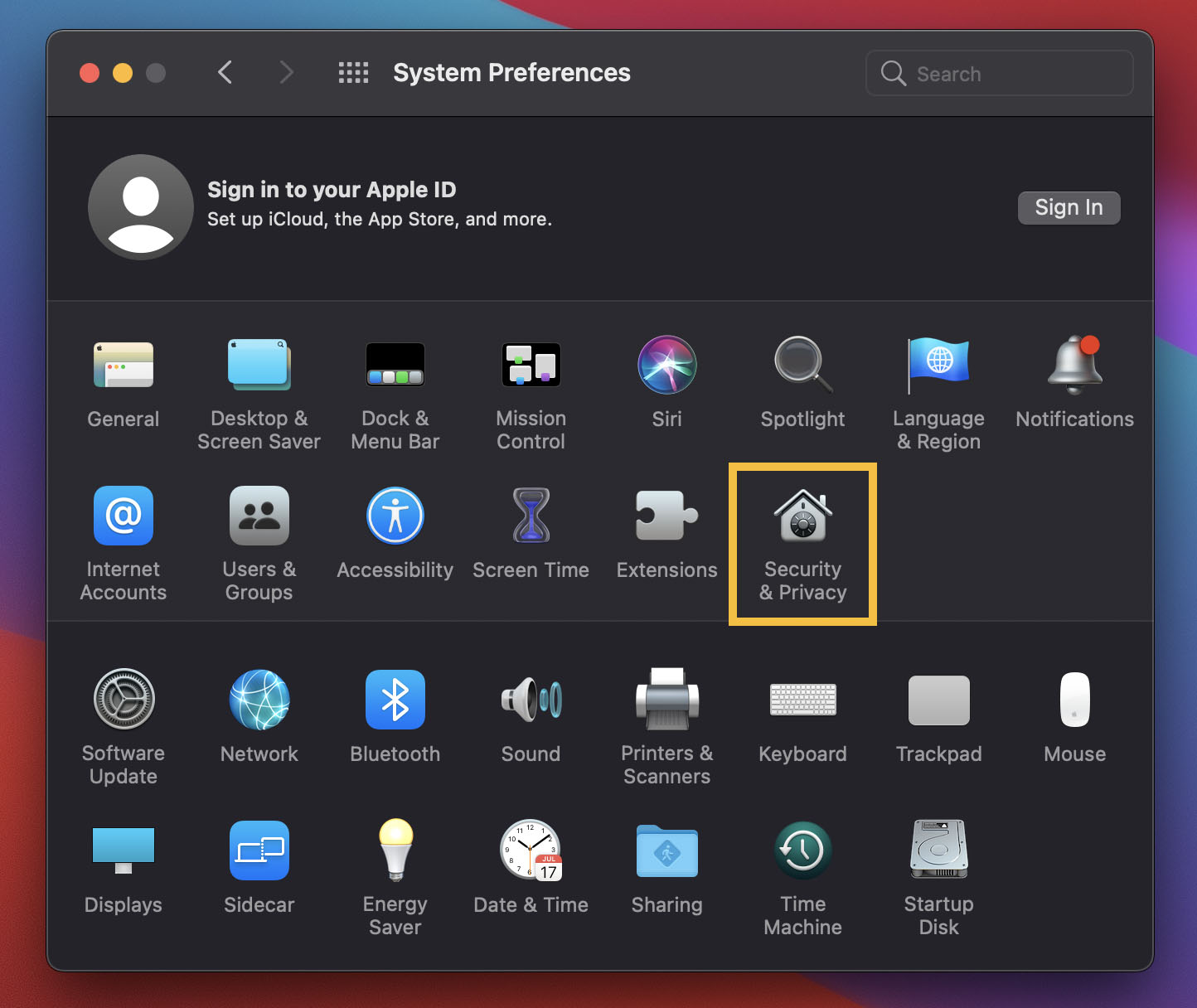
Open your Mac system preferences

2
Click on Security & Privacy
3
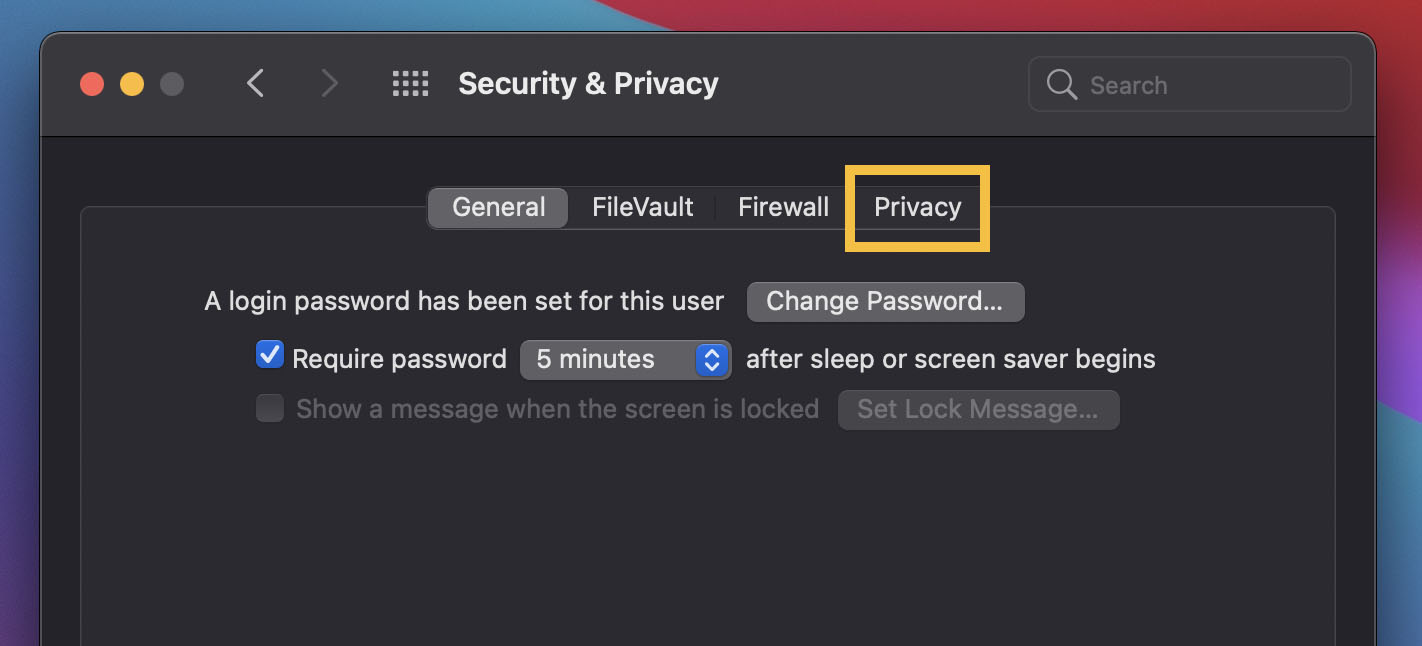
Navigate to the Privacy tab
4
Scroll down to the Screen Recording section
Then, check the box next to KalturaCapture to allow it to record the contents of your screen, even while using other apps