
Create a Rubric in Canvas
The purpose of using a rubric is to focus students' attention on critical components of an assignment and to help the instructor maintain consistency when grading. Using a rubric is especially important if there are teaching assistants involved in the grading process or if students are completing peer reviews.
You can create one or more rubrics in Canvas. You can create a rubric on the Assignment page or on the Manage Rubrics page. The Manage Rubrics page lists all of the rubrics in the course, while an assignment page displays only the rubric for that assignment. This topic explains it from the Manage Rubrics, but the process is the same on either page.
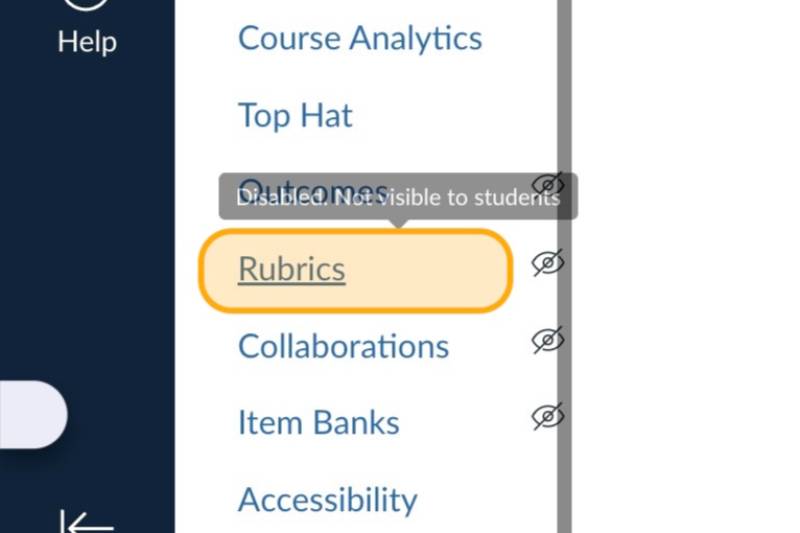
On the Course Navigation menu, click Rubrics
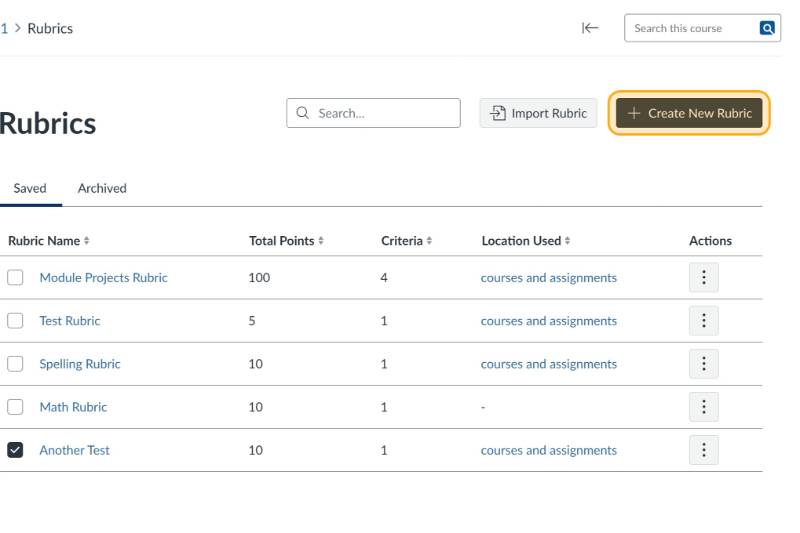
Click + Create New Rubric
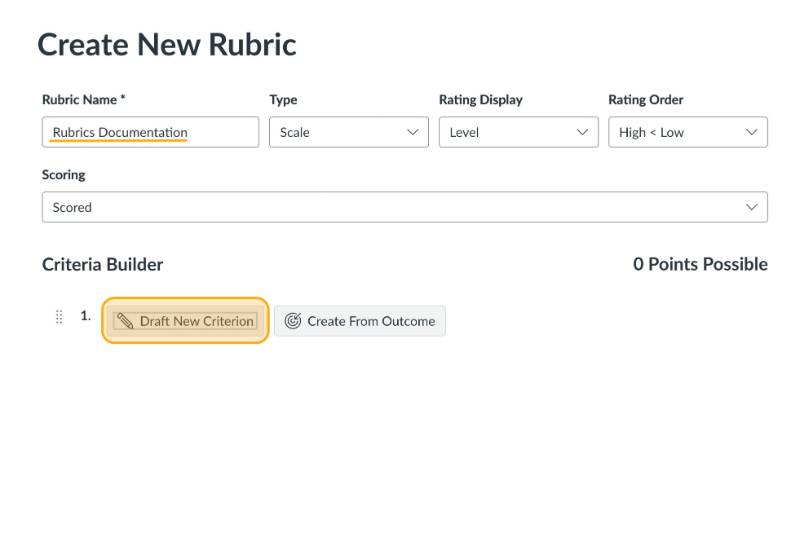
Name the Rubric then Click the Draft New Criterion button
Name the Criterion adjust the point possibilities as desired and add rating descriptions. You can also delete an option by selecting the trash can icon.
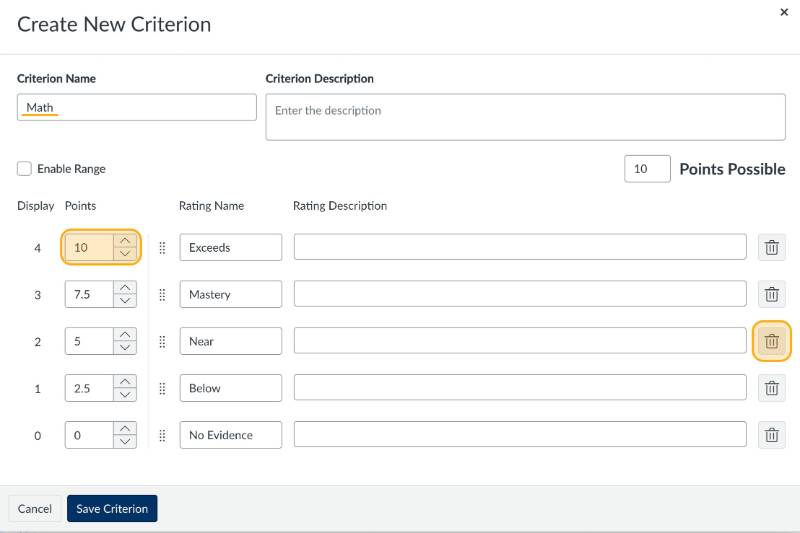
Note: Make sure that the total points equals the total points for the assignment or discussion that you would like to attach it to.
Click Save Criterion when finished
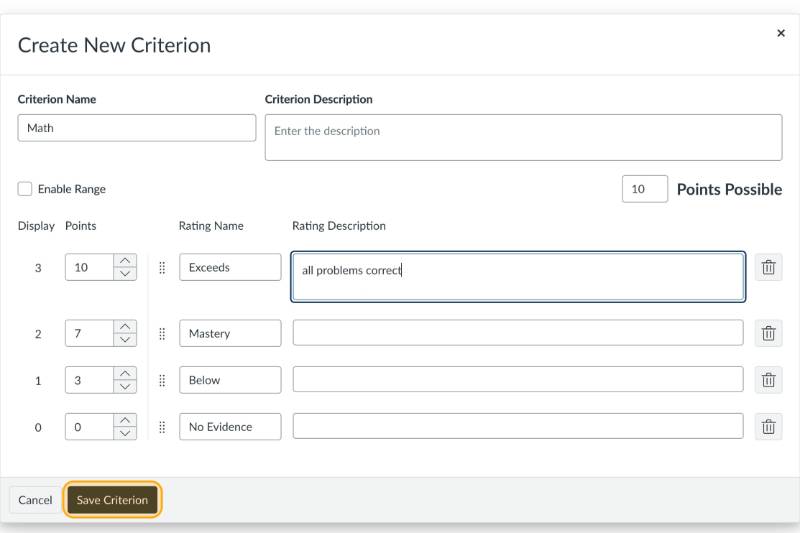
Click Create Rubric when finished
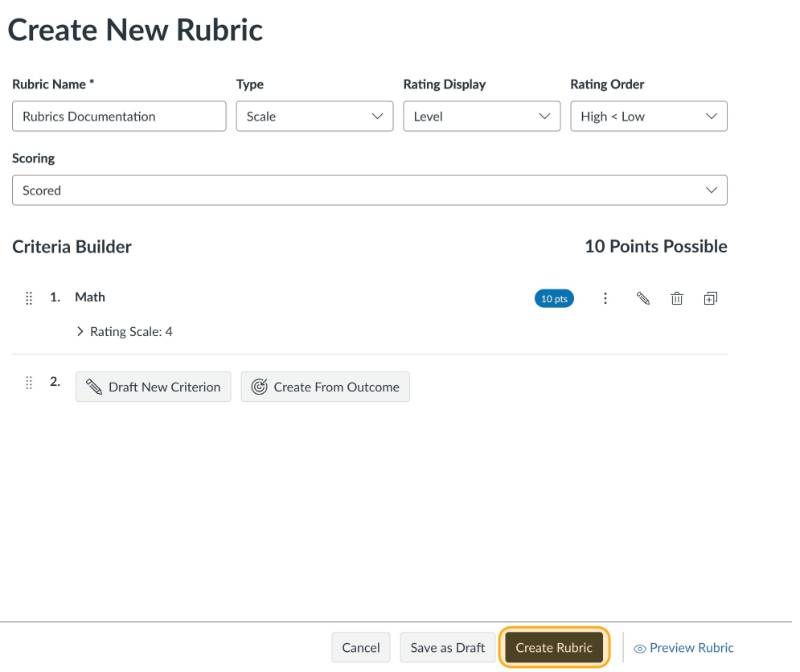
Rubric Settings
There are some optional settings for a rubric that can be selected when the rubric is created or by editing the rubric afterward by clicking on the pencil icon to open the rubric for editing.