
Download Class Email Roster
You can download a report in New Analytics that contains your class email roster, which allows you to email your students before or after the semester.
1
Navigate to the course home page
2
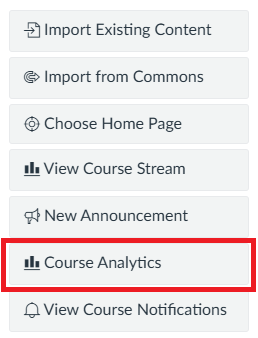
Click Course Analytics in the menu on the right-hand side
3
Navigate to Reports

4
Select Run Report for the Class Roster
If desired, filter the report by section by clicking + Filter.

5
Click Run Report

6
Open the downloaded CSV file
7
Find the student’s email under the Email column
