
Canvas Course Templates
It's important for students to have an easy to follow, consistent experience in their online courses, so they don't have to spend a lot of time figuring out where everything is located and how to navigate and access content. We have developed templates to help you organize your course materials and provide a consistent experience for students across USU. You can easily import one into your Canvas course. The template will help you keep your course material organized and will provide you a great jumping off point for building the online components of your course.
Enable Course Templates Import in Canvas
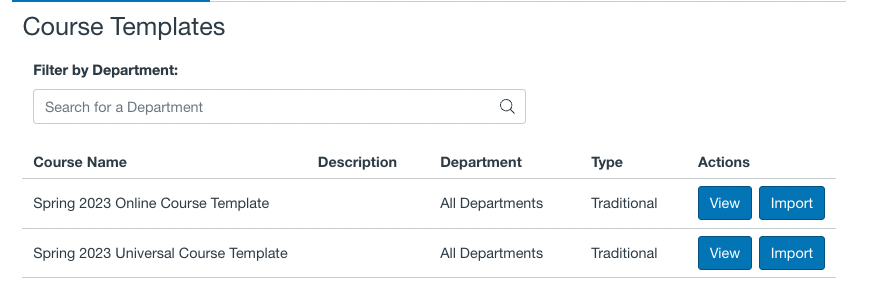
We have developed two templates to help you organize your course materials and provide a consistent experience for students across USU. To import a template into your Canvas course, simply click on an empty Canvas course and look for the option to import a course template at the top of the page.
Navigate to the New Course
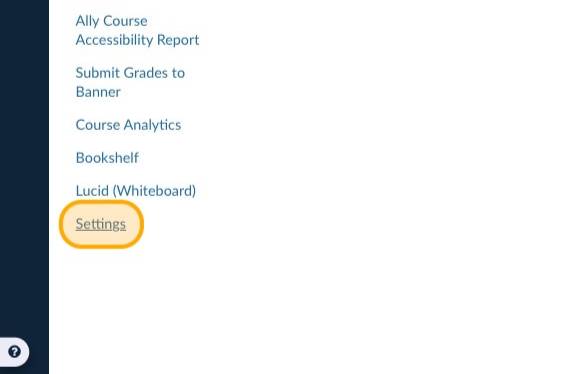
Click "Settings"
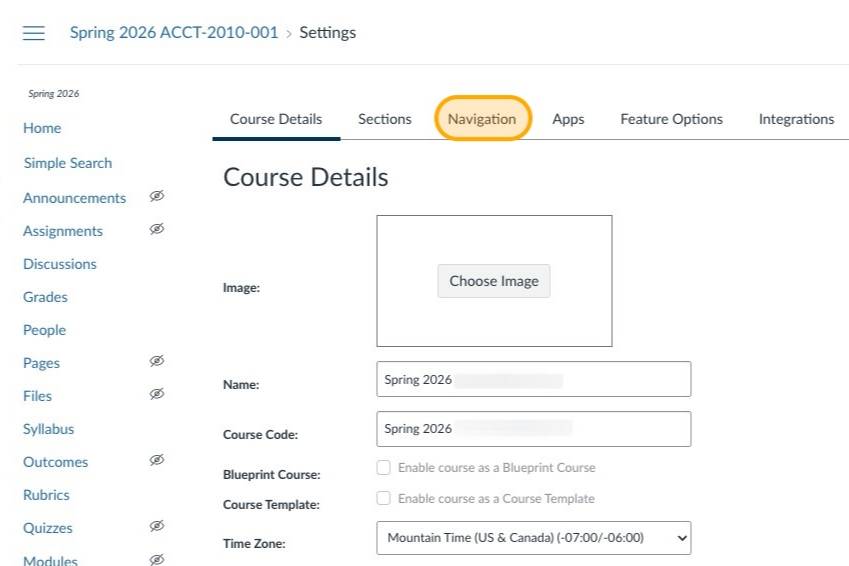
Click "Navigation"
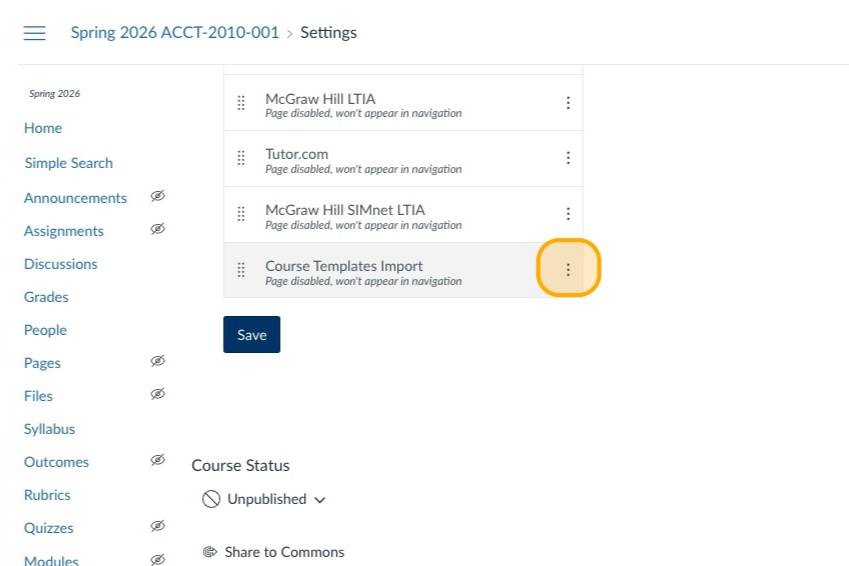
Select the Vertical Ellipsis Button
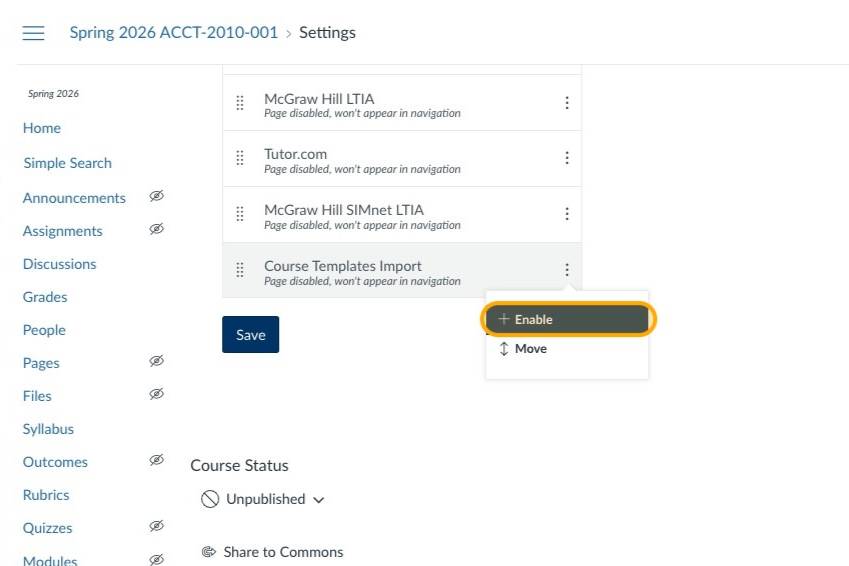
Click "Enable" in the Menu
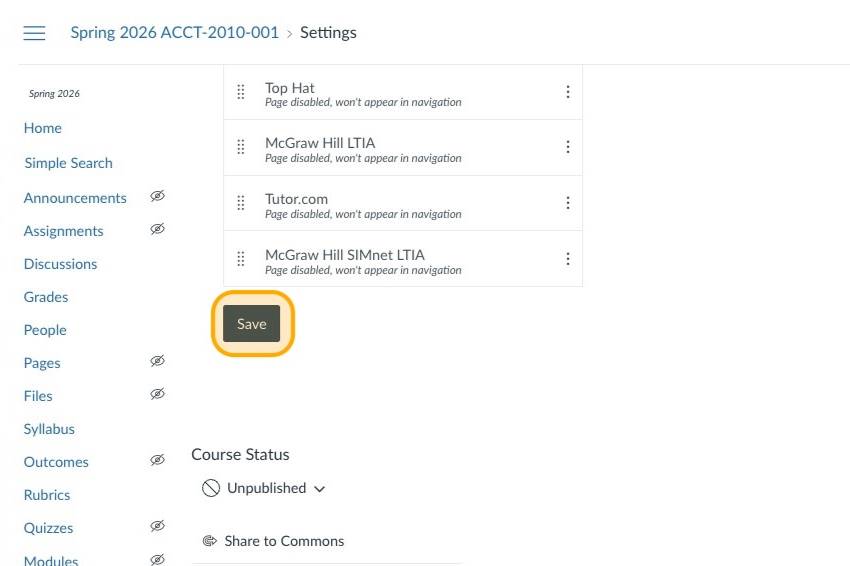
Click "Save"
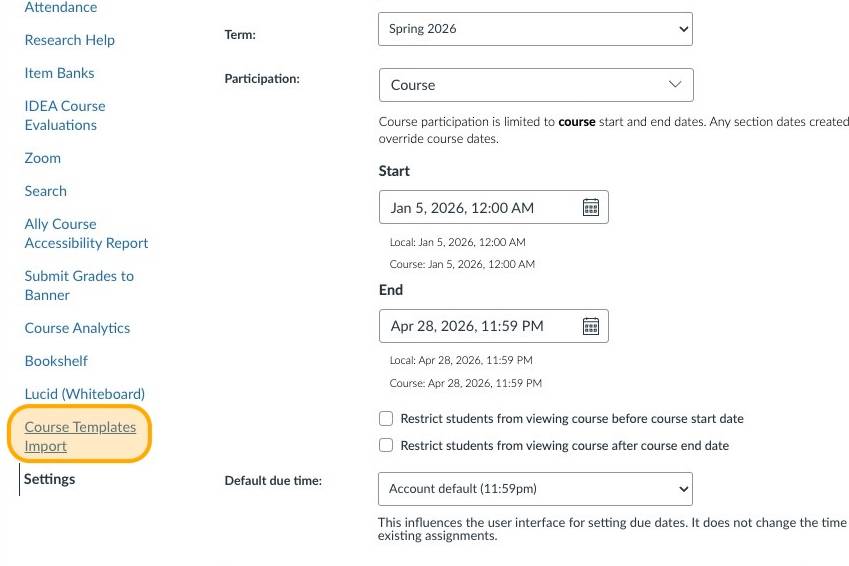
Click "Course Templates Import"
Click "View" to preview a specific template
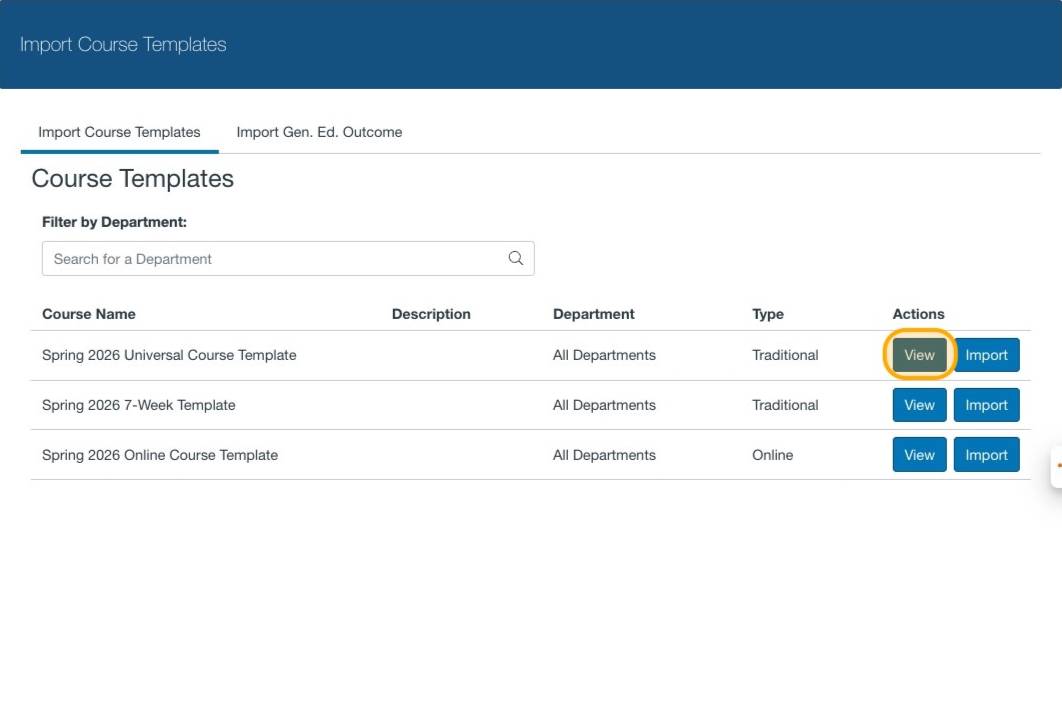
The template preview will open in a new tab. Close the tab to return to the import options.
Click "Import" to copy the template into your course
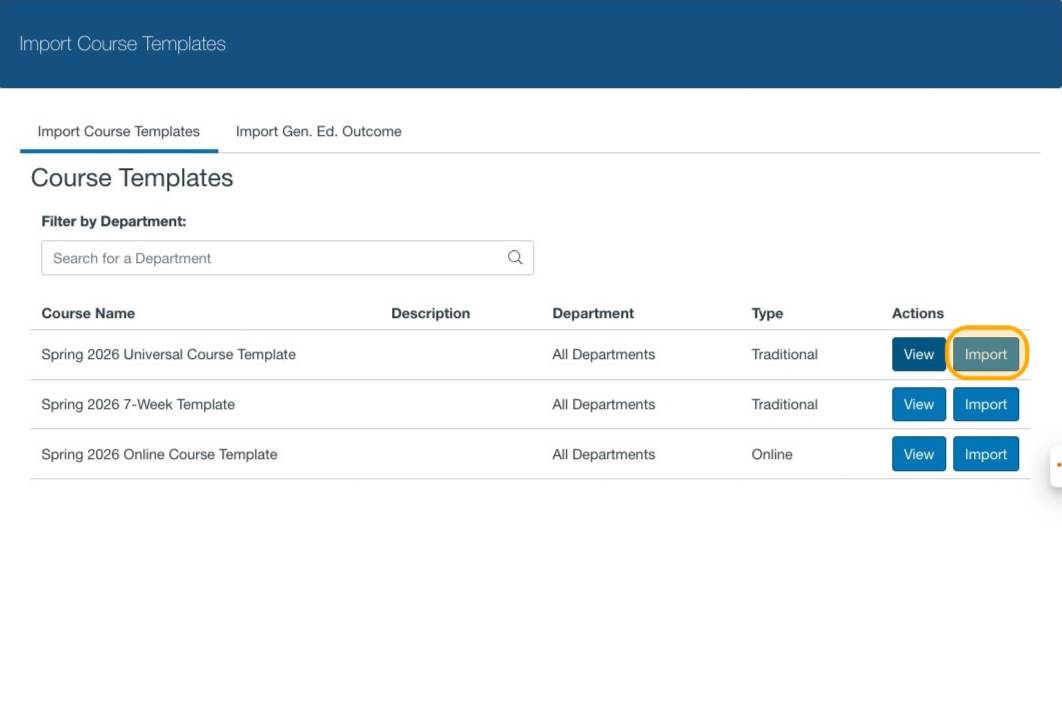
Import the template that best fits your course
For fully online courses, select Online Course Template. The online template will be the best option to ensure you are meeting the requirements of a fully online course.
Adding Files to Canvas: As you begin to add your own content to your course, it’s important to keep things organized so your course is easy to update and maintain moving forward.
To learn more, visit the Upload Files in Canvas page.