
How to Transfer a Classic Quiz to New Quiz
Classic quizzes can be moved to a New Quiz format to take advantage of the new question types.
The only exception is that Question Groups will NOT transfer. If your Classic quiz has question groups, these will not be moved over into New Quizzes. If you do migrate a quiz with question groups, you will see errors in the migrated quiz.
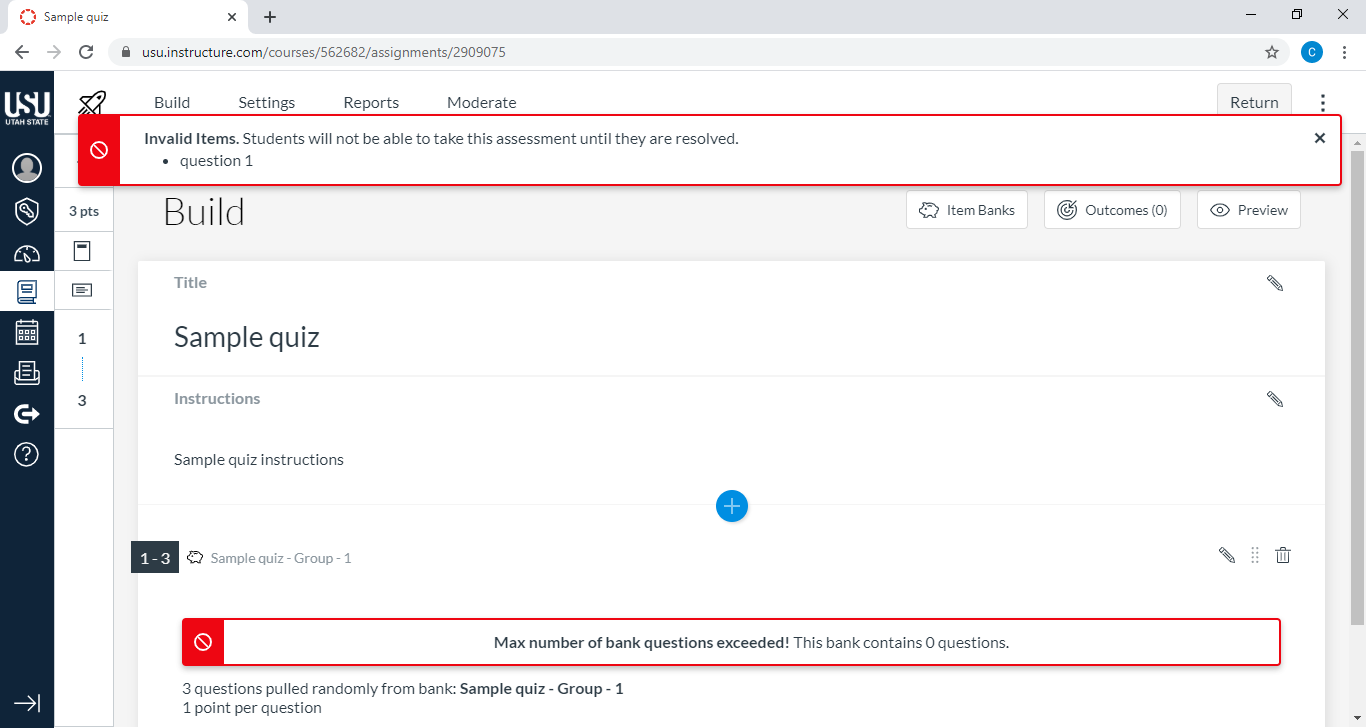
Migrating a Quiz
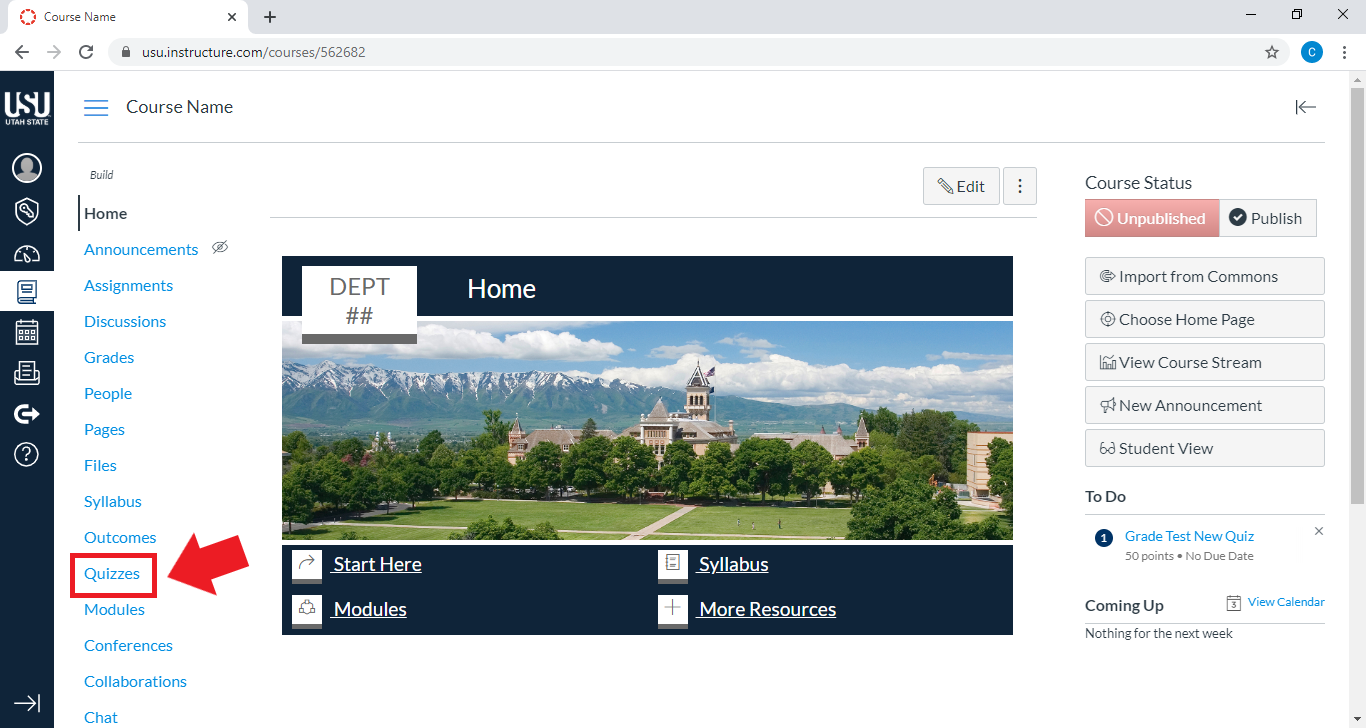
From your course home page, select Quizzes
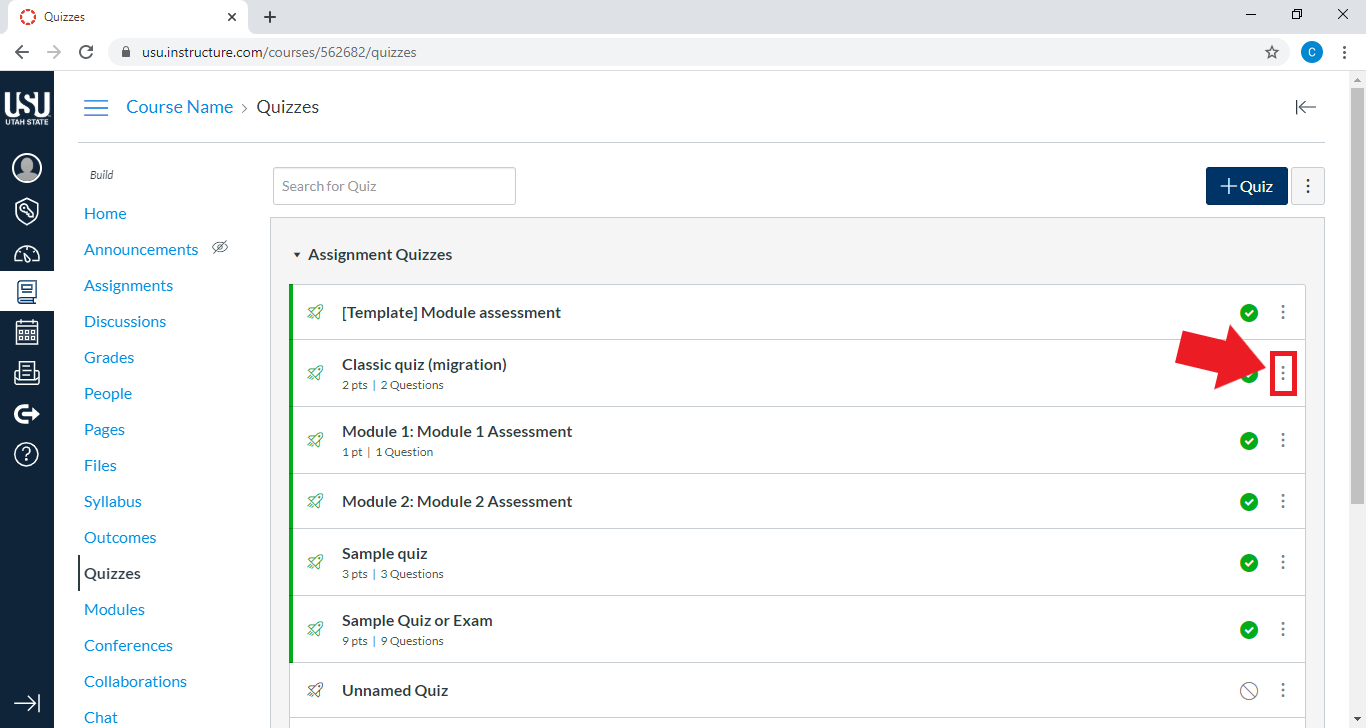
Select the drop-down menu to the right of the quiz name
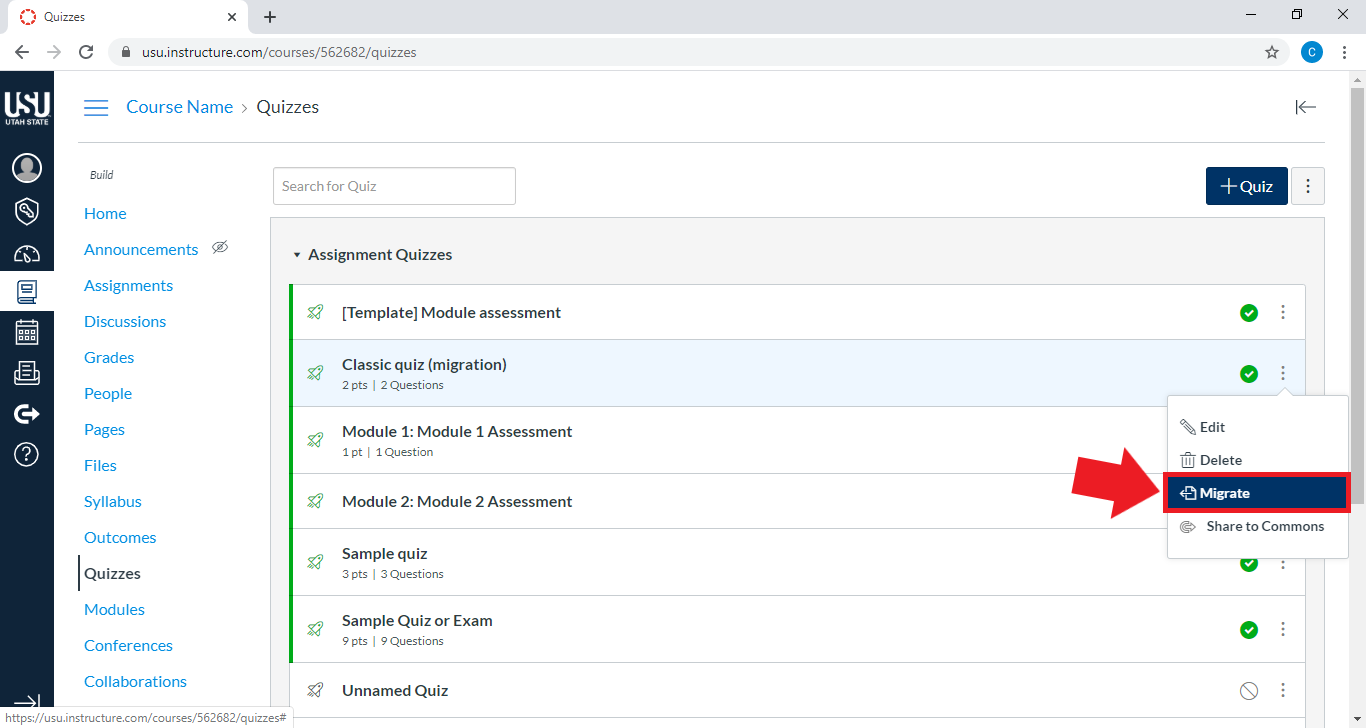
Select Migrate quiz
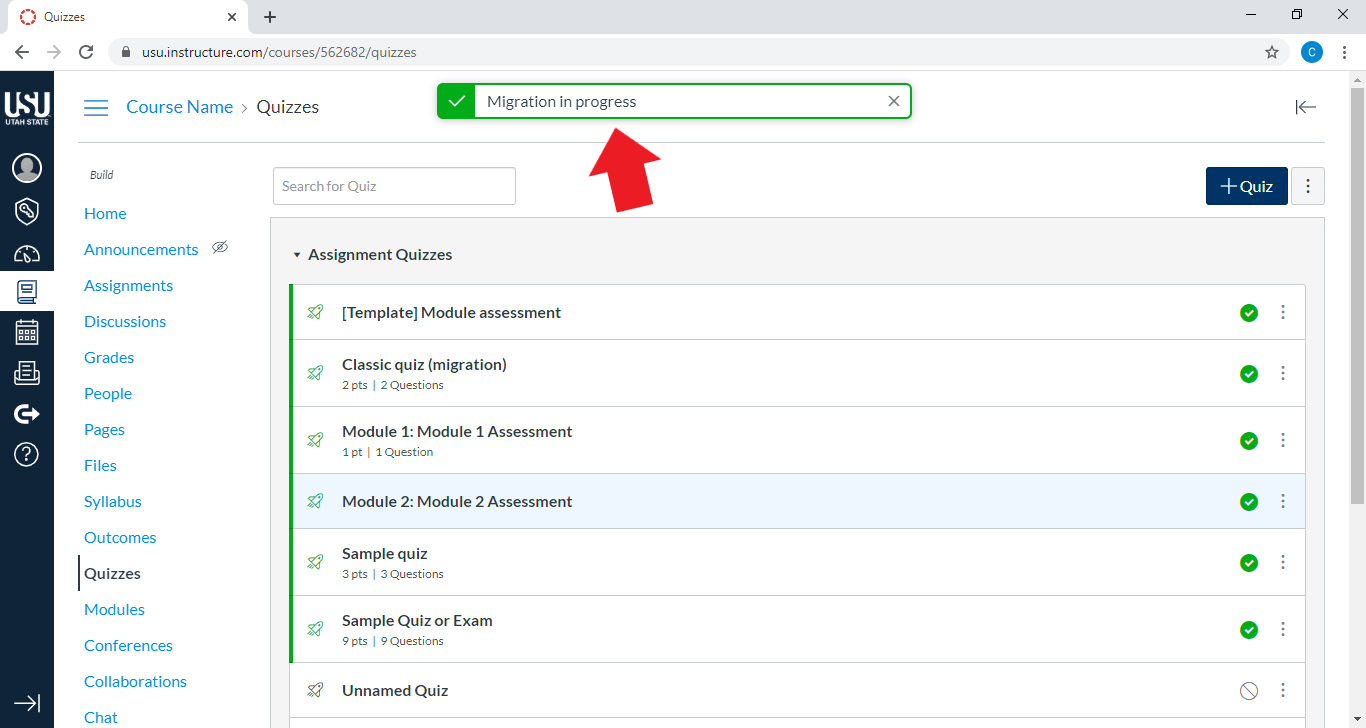
The note “Migration in progress” will appear at the top of the Quizzes page
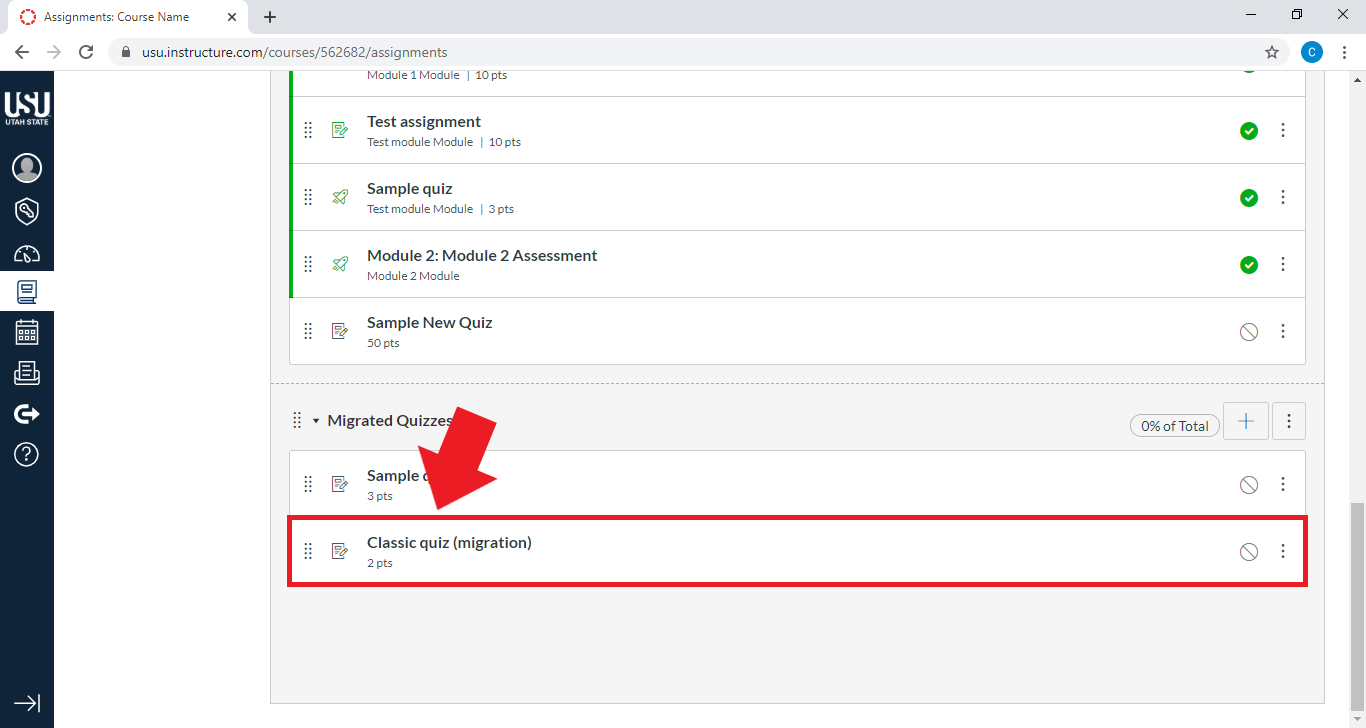
To find the migrated quiz, go to the left sidebar menu. Select Assignments

Scroll to the bottom of the page and select your migrated quiz
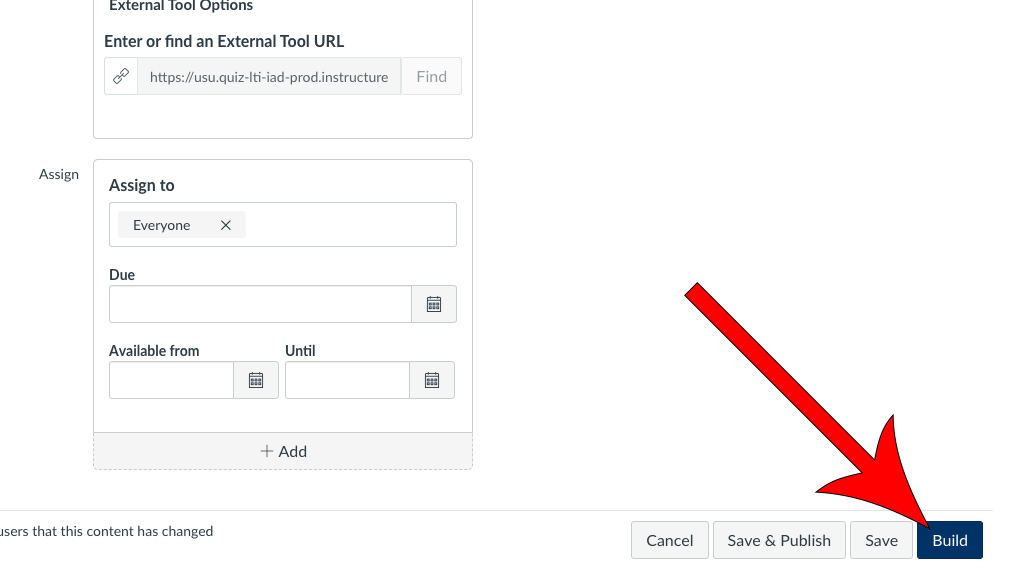
Scroll down to the bottom of the page and select Build
Check that your questions have copied over correctly and that no error messages appear

Once your Classic quiz has been migrated to a New Quiz, you can add the migrated questions to a New Quiz Bank
These questions can then be used in multiple New Quizzes. For more information, see Question Banks in New Quizzes.
Publish your migrated quiz when you are ready for students to take the New Quiz

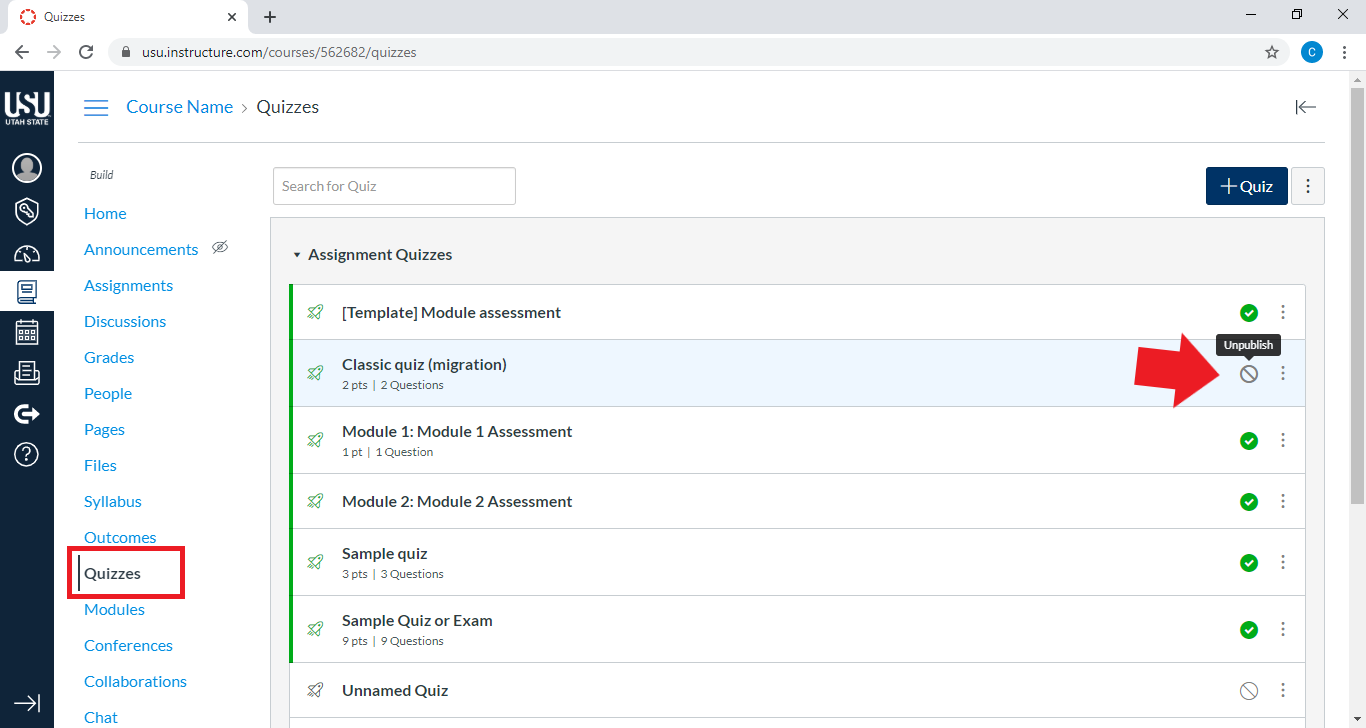
Remember to delete or unpublish the classic quiz.
Source
For additional information, see the Canvas Guide How do I migrate a Canvas quiz to New Quizzes? Open External Link