
Graded Discussions
When you first create a discussion, you have the option to make it a graded discussion. Making it a graded discussion will add it to the Canvas gradebook and make it so that you you can use the SpeedGrader to grade it.
From the Discussions page, click the + Discussion button

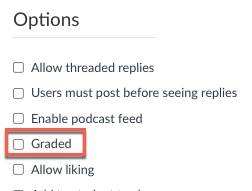
Under Options, click the checkbox next to Graded
Add other options
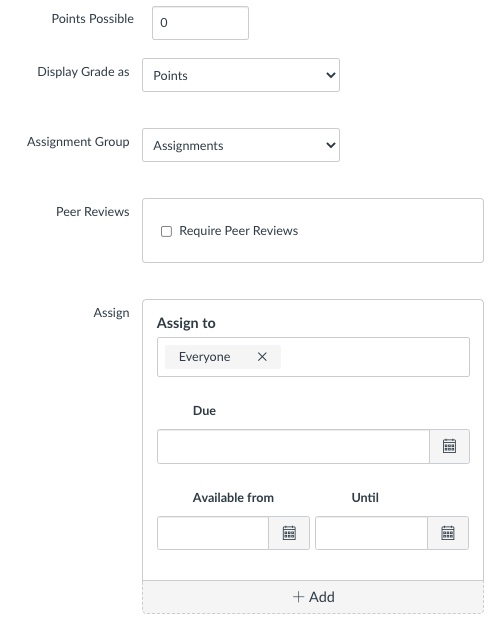
You now have the option to add points possible, display the grade in the desired format, choose an assignment group, assign peer reviews, assign to specific people or the whole class, and choose due dates and availability dates.
Attach a Rubric for Discussion Grading
The following steps show how to attach a rubric to your discussions for easy grading:
Navigate to the Discussions page
Click discussion name

Click Show Rubric

Click the magnifying glass icon

Find the name of the rubric you want to use

Click Use This Rubric

Close the rubric window
