
Reviewing Assignment Self Assessment and Feedback
1
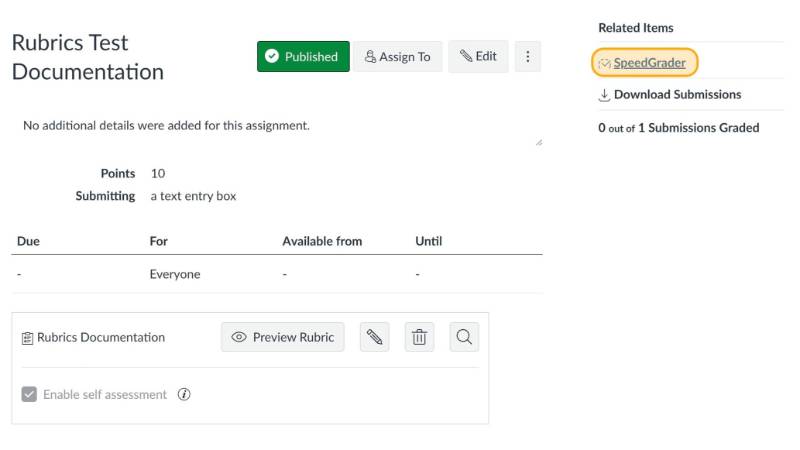
Open SpeedGrader
2
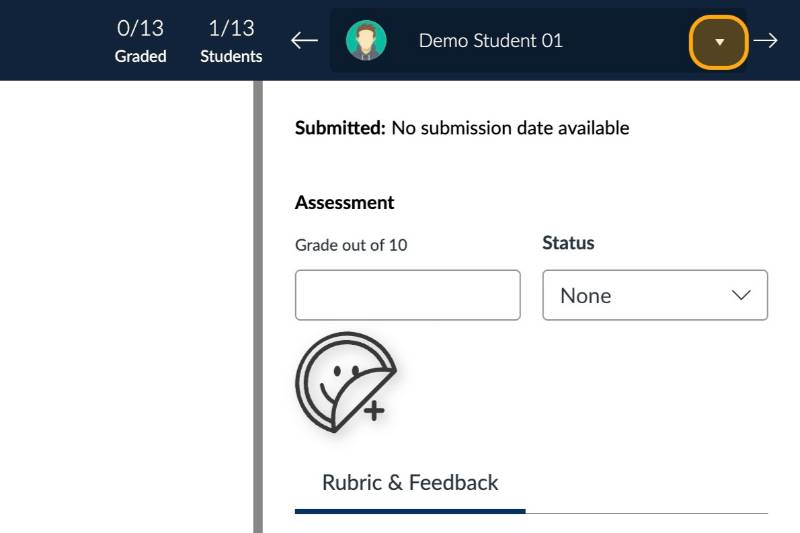
Go to the student selection dropdown menu
3
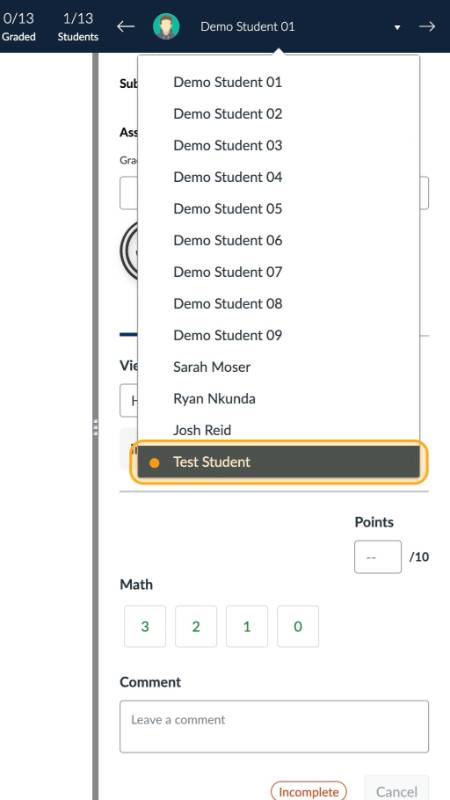
Click on a student's name
4
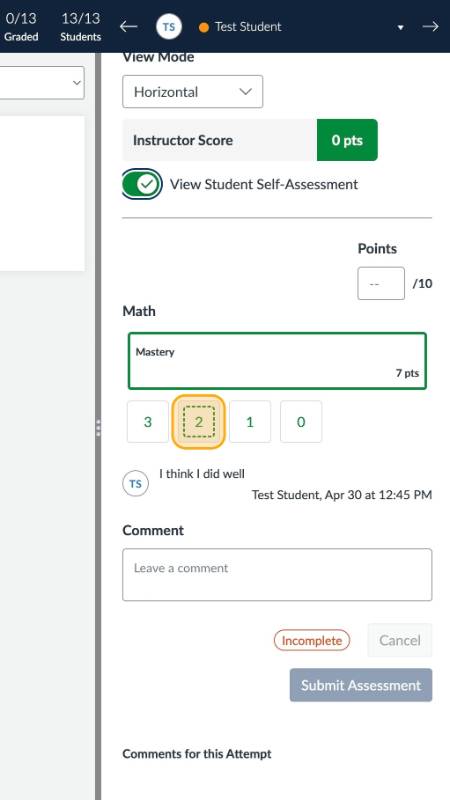
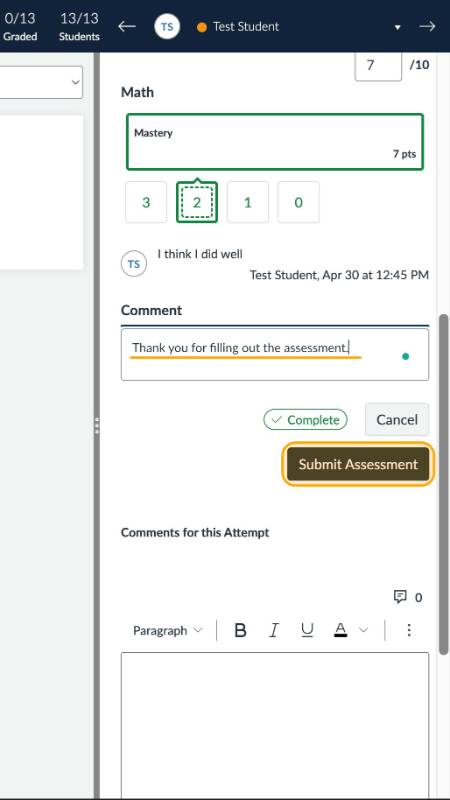
If you would like to see student self-assessment results, make sure that the View Student Self-Assessment toggle is turned on
The student's self-evaluation score will be show with a dotted outline
Click on a point value to enter the instructor score for each criterion on the rubric
5
If desired, leave a comment, then click Submit Assessment
6
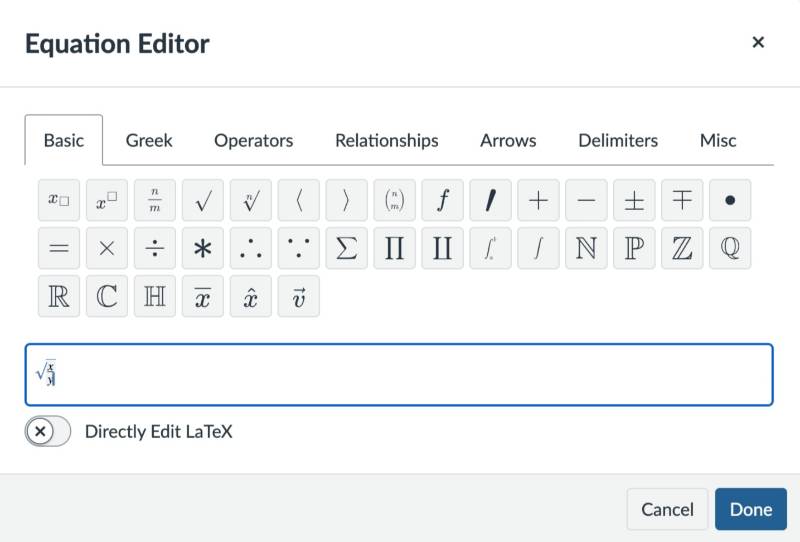
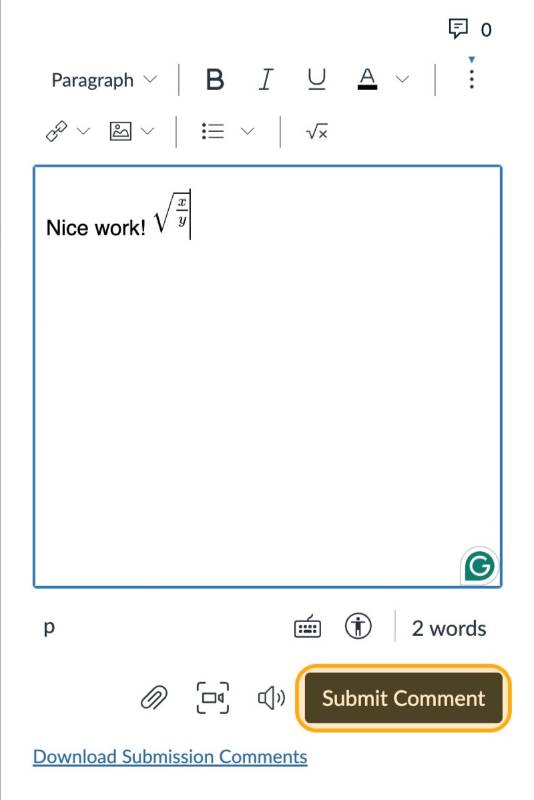
Note: When leaving feedback you can insert math equations using the math equation editor from the comment field
Click Done to insert equation
7
When finished, click Submit Comment
Note: For more detailed instructions see How do I add a rubric to an assignment?
Open External Link
in the Canvas Guides or see our section on attaching rubrics to discussions.